
Reviewed and updated: November 10, 2026
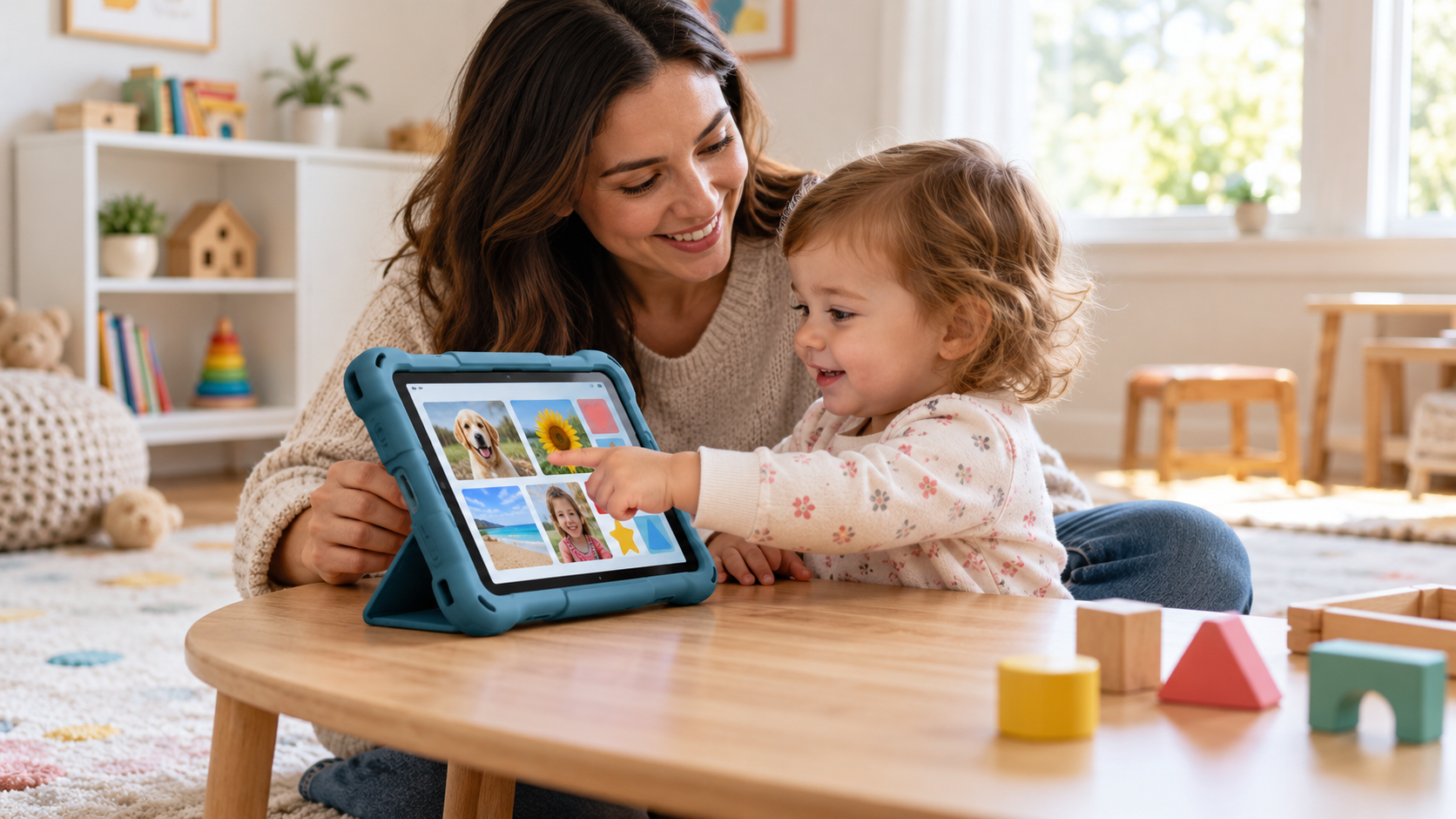
A grown-up can lead a tiny colour hunt with a tablet, helping a young child notice two matching toys and look at the pictures together. For toddler use, the first question is whether the device’s age guidance and your family’s approach make it appropriate at all. If it does, compare the exact Fire 7 Kids, Fire HD 8 Kids or Galaxy Tab A9 Kids Edition package through adult controls, case and manageable handling. Kids in the name is not a promise that independent toddler use is suitable.
Set up the adult account first
Decide which adult manages downloads, purchases and accounts before the tablet becomes part of an activity. Check the settings for the exact device and region, including whether a suitable child profile can use the camera offline. A stable case can help you lead a short tabletop game, but setup and supervision remain yours. The simple goal is noticing a colour together, not opening the whole device to a child’s independent exploration.
Check the manufacturer’s age range, exact generation, case and parental features before considering it for your child. A compact body may fit your planned setup, but small size alone does not decide whether the tablet or its content is appropriate.
The manufacturer’s age guidance comes before screen size or a cheerful case. If the intended user is younger than that guidance, wait rather than treating adult supervision as a way to override it. For a suitable child, the buying question is how the device supports a brief activity you manage together. A protective cover and family controls help organise the setup; they do not make every app, video or length of session appropriate.
Check age guidance and the actual package
Its smaller screen and entry-level approach suit basic tasks rather than demanding creative software. Confirm the actual case, warranty terms and app availability in the offer you are considering. For an adult-led picture game, you need an understandable way to take and review two photographs, not the biggest collection of entertainment. Check that the whole activity works with the controls and profile you intend to use.
FOR A SMALLER ADULT-MANAGED SETUP
Amazon Fire 7 Kids
Fire 7 Kids is the smaller package to compare for basic supervised viewing or a simple age-appropriate activity.
It is another size to assess for your own supervised setup, with the exact model’s age guidance checked first. Compare how it can sit safely on the table and how you will manage the activity, rather than treating more display space as an automatic benefit for a very young child.
Set the adult controls first
Arrange the adult profile and any appropriate time controls before the first session. Fire tablets use Amazon’s app ecosystem, so check the particular tools and content you need instead of assuming standard Google Play availability. Keep purchases and sharing under adult control. Preparation should let you finish the small activity together without unexpected stores, accounts or permissions interrupting it.
FOR A ROOMIER SHARED DISPLAY
Amazon Fire HD 8 Kids
Fire HD 8 Kids offers a roomier screen in a protective child-oriented package.
Samsung Galaxy Tab A9 Kids Edition offers a mainstream Android approach with a child-oriented protective package. It may fit a family that already understands that ecosystem and can set it up appropriately. Check the exact regional bundle, age information and controls; an Android tablet’s flexibility is useful only when the adult can manage what the child can access.
Keep access and purchases with a grown-up
The extra flexibility also means more setup decisions. Lock purchases and sharing, review installed apps and verify the actual case and configuration. Do not rely on a colourful cover as the protection for accounts or personal information. You can operate the device while your child points out the next matching object, keeping the attention on a shared real-world activity rather than handing over unrestricted access.
FOR A FAMILY ANDROID SETUP
Samsung Galaxy Tab A9 Kids Edition
A larger-screen tablet option for shared photo review, drawing and supervised creative projects.
The device is optional; shared discovery comes first
We would prioritise appropriate age guidance, a strong case, understandable adult controls and a size you can manage safely. A larger screen does not automatically make a better short session. If the device is not a good fit for your toddler or your family’s guidance, the same colour hunt can happen without one: find the matching objects together and leave the photography for another stage. The tablet is optional, not the point of the discovery.
Try a two-picture color game
Place two age-appropriate objects of the same colour on a clear table. With you operating or closely guiding the device as suitable, make one picture and find the matching object for another. Open both pictures together. Check in advance that you can finish without opening a store, sharing an image or entering an adult account in front of the child. Stop when the activity or attention is finished, with chargers kept away.
Keep the activity shared and optional
For a very young child, the useful part of a color game is noticing together, not operating a device independently. You can take a picture while they point to another object of the same color, then put the tablet away and continue finding matches in the room. If that screen activity is not suitable under the guidance you follow, omit it entirely. The real-world discovery still works.
Do not treat a protective case or child-profile label as a substitute for developmental suitability. Check the manufacturer’s minimum age and seek appropriate pediatric guidance for your family. Set up the device away from the child, with purchases, accounts and sharing controlled by you. A short planned activity should not quietly become unrestricted access once the original game is finished.
Consider how the tablet fits the adult’s routine before purchasing a package. If it is mainly a family device, compare its shared uses and update support as well as the child-oriented accessories. A small color hunt is not by itself a reason to buy a dedicated tablet. You may already have everything needed for the activity, including the option to do it without photographs.
When your child is older and interested in making pictures, you can revisit handling, controls and camera choices at that stage. There is no need to buy ahead for a future skill. Shared attention, a safe space and an age-appropriate game are the starting point now.
Safety and family rules
Co-view content, use short scheduled sessions, keep chargers out of reach, and never let a tablet replace direct supervision. Follow pediatric guidance that fits your child and family.
Our age-by-age camera guide explores other starting points as children grow. The photo activities can give you ideas to adapt, with safety and developmental suitability leading the decision. Keep any screen activity shared and bounded, and follow the professional guidance appropriate to your child and family.