
Reviewed and updated: November 10, 2026
Your child’s camera should be ready for the story they want to tell, whether that is a secret life of stuffed animals or a holiday photo diary. We recommend starting with easy handling and the projects your child already enjoys. A clear shutter button, a comfortable grip and pictures you can save together will matter far more than an impressive resolution number on the box.
Picture the adventures before comparing cameras
For a younger child, switching on and finding the shutter should feel like an invitation to play. An older child may enjoy more control over a scene, but there is no need to buy for skills they might develop years from now. Picture the first month: bedroom toy portraits, a school project, supervised outdoor video or a family trip. That picture gives you a much better shopping direction than a long list of features. Let your child’s current curiosity lead the purchase.
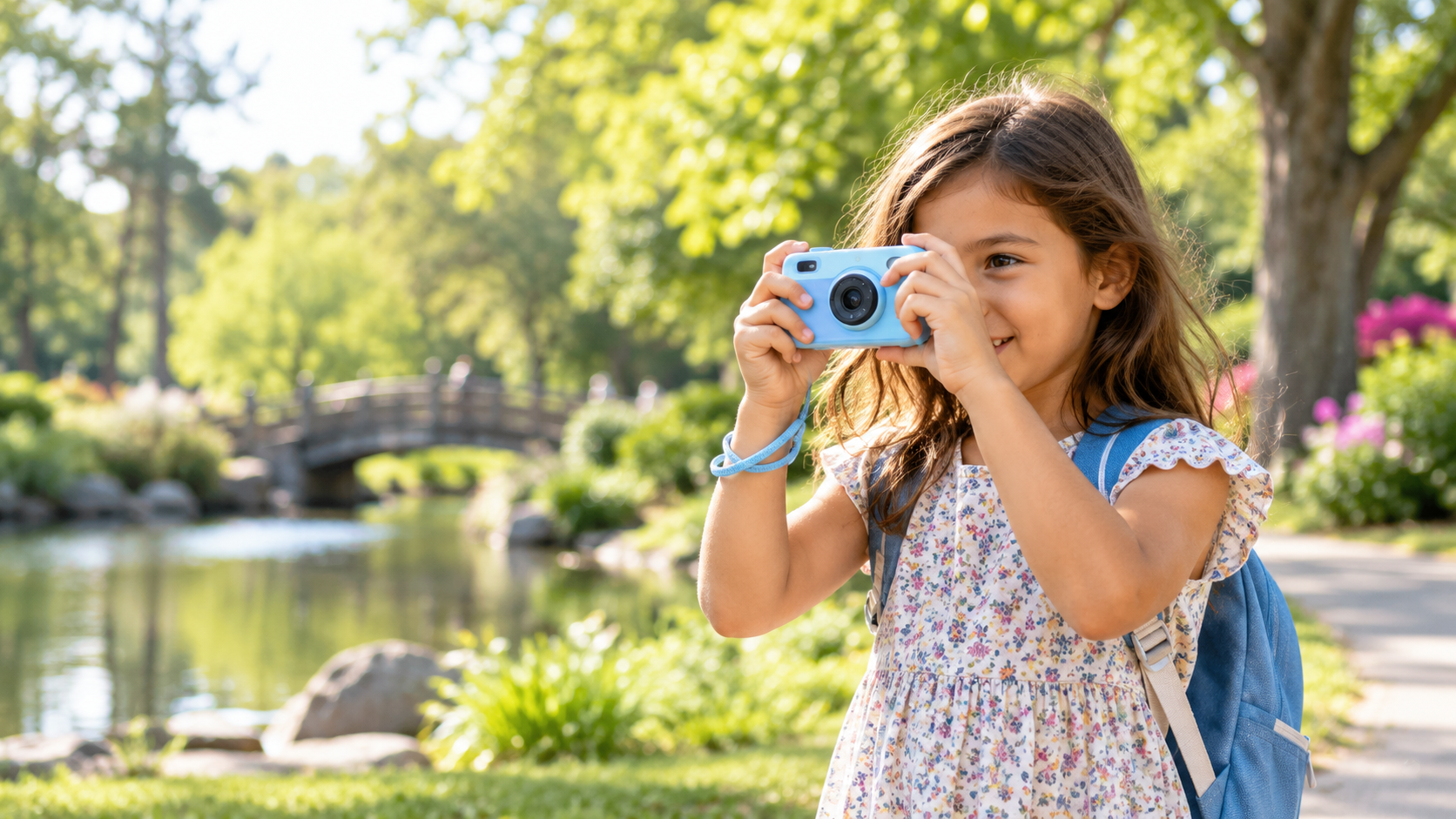
Imagine your child holding the camera while you ask them to photograph a favorite toy. Can they reach the shutter without covering the lens? Can they see the screen and return to taking pictures after reviewing one? A tiny camera can be surprisingly awkward, while a heavy one may stay on the shelf. Look for a secure grip, sensible controls and a suitable strap attachment. For siblings sharing a camera, a simple routine and protective case may help more than extra modes.
Different cameras, different kinds of fun
A toy-style digital camera can make a welcoming first tool for creative play, although protective styling does not guarantee a particular drop rating. A conventional compact offers a different level of photographic control and needs more careful handling. Action cameras suit supervised video adventures, while instant cameras give your child a physical print with an ongoing film cost. These are different ways to enjoy photography; the most expensive type is not automatically the most rewarding for your family.
If your child imagines recording an outing, compare the options in our action-camera guide. For a scrapbook maker who mainly wants little pictures to hold, the instant-camera guide is a more useful next stop.
Image quality that children can actually use
A separate camera gives your child ownership of the picture-making, even when a phone you already own can produce cleaner files. They can take a toy expedition without messages and notifications interrupting. Lens quality, focus, processing and light all shape the result; a large advertised megapixel number cannot settle the comparison. Think about where the pictures will end up. A family screen and small project prints ask different things of a camera from a large wall print.
For everyday pictures, aim for a camera that responds predictably and saves files you can open easily. A sharp, well-lit toy portrait is more satisfying than a huge blurry file. For video, steady handling, understandable sound and enough storage for the project deserve attention alongside resolution. Read the exact model’s instructions and look at representative output, keeping the conditions in mind. Bright outdoor samples alone cannot tell you how a camera will handle a dim living room.
Storage, batteries, and privacy
Check whether the camera includes internal storage or requires a memory card. Confirm the supported card type and maximum capacity from the current instructions. A modest card is easier to manage than one enormous archive that is never backed up. Create a family routine for copying files, selecting favorites, and deleting obvious mistakes only after a backup exists.
Rechargeable cameras reduce disposable-battery waste, but adults should inspect charging cables and ports. Do not charge a camera on bedding or inside a closed bag. Follow the maker’s current instructions and stop using a battery that swells, leaks, smells unusual, or becomes excessively hot. Our camera battery safety checklist for parents covers this routine in more detail.
Teach children to ask before photographing or sharing images of other people. Turn off location features when they are not needed, review uploads together, and keep school names, addresses, and travel details out of public captions. A camera should support creativity without turning every photograph into a public post.
Three current models to compare
VTech KidiZoom Creator Cam
The VTech KidiZoom Creator Cam fits a younger storyteller who wants guided effects and supervised video fun. Its flip-up lens and tabletop tripod lend themselves to a little toy news desk or a puppet report. Learn the controls together and keep sharing under adult control. The button opens Amazon search results for the VTech KidiZoom Creator Cam; confirm the exact package and storage needs.
View on Amazon (paid link)
OM System Tough TG-7
The OM SYSTEM Tough TG-7 is the more serious compact direction for a family that needs rugged construction and room to develop photographic skills. It suits outdoor curiosity rather than toy-like effects. Water use still depends on correct care, current limits and adult supervision. The action opens Amazon search results for the OM SYSTEM Tough TG-7; compare the exact model and accessories.
View on Amazon (paid link)
GoPro HERO Compact 4K
The GoPro HERO Compact 4K is more relevant when your child’s story is mainly video from supervised outings. An action-camera view is different from a conventional photo camera, and mounting needs careful adult judgment. Check the activity rules, supported memory card and exact bundle. This action opens Amazon search results for the GoPro HERO Compact 4K Camera.
View on Amazon (paid link)
Compare the setup your child will actually use
Bring the comparison back to three jobs your child actually wants to do. A tabletop toy story favors simple framing and stable support; a holiday diary favors comfortable carrying and easy transfers; supervised outdoor video adds care and mounting questions. Add the necessary card, case, power accessories and any printing supplies to the purchase cost. Compare complete usable setups, rather than a bare camera with a large bundle of things you would never use.
A good first camera leaves your child eager to make another picture. It does not need to anticipate every future hobby. When they repeatedly find a real limitation, such as needing closer focusing or more control, the next purchase becomes easier to explain. Until then, spend time looking at what they make. Their favorite subject will tell you much more than a prediction about what kind of photographer they might become.
Give the camera three little missions
Give the first week three small missions: find five objects of one color, tell a story in three pictures and photograph one toy from high, low, near and far. Ask, ‘What changed?’ instead of grading every frame. Your child might discover that a low viewpoint turns a little dinosaur into a giant. That moment of discovery is the real purpose of the camera, and it works without an afternoon of menu lessons.
Give the camera a safe, reachable home so your child knows where the next adventure begins. You handle charging and backups, and agree on carrying, water and public-place rules. Keep straps out of climbing or running games. A ready camera is useful; one left charging in a closed bag or taken somewhere unsuitable is not. End the session while your child still has an idea they would like to try next time.
Frequently asked questions
What age should a child receive a digital camera?
There is no single correct age. Readiness depends on following safety rules, handling equipment, asking permission before photographing people, and accepting adult help with charging and file management.
Should I buy a toy camera or a real compact camera?
A toy-style camera makes sense for simple creative play and easy handling. A rugged compact is a better direction when you want stronger photographic files and more learning room, and are ready to supervise its care. Let the projects and handling decide rather than treating a conventional camera as an automatic graduation prize.
How much storage does a child need?
Enough for the planned activity plus a reasonable margin. A smaller card combined with regular backups encourages a healthier file-management routine than an oversized card that is never reviewed.