
Reviewed and updated: November 18, 2026
“Welcome aboard. Today, we’re visiting Saturn.” Your teen has a cardboard planet, an excellent opening line and a film to make. The Canon PowerShot V10 gives an older child or teen a small, dedicated camera for presenting those ideas: a science show, a model-building diary or a tour of their latest creation. We’d recommend it for a young filmmaker who wants to appear in the picture as well as direct it.
The built-in stand and flip-up screen are its strongest attractions for that job. They make a tabletop presentation feel approachable without starting with a pile of accessories. The compromise is a fixed, wide-angle lens: lovely for including the presenter and their project, less useful for pulling a distant subject closer. This is a real camera to use with adult support, rather than a toy for a younger child.
A place for the presenter, too
Some projects need the maker in the scene. Your teen might want to introduce a handmade spaceship, explain a drawing or deliver a wonderfully serious report about the family cat. The V10’s screen flips upward so they can see the framing from in front of the lens. They can notice a missing forehead or an off-screen planet before recording the whole introduction.
The little stand folds out from the body and lets you tilt the camera on a stable surface. That is especially appealing for a desk-based film: the camera has somewhere to sit while both hands demonstrate the project. You help find a secure spot away from the table edge; your teen works out where the spaceship should land. A conventional tripod mount leaves room for other viewpoints later.
Face-detection autofocus can help keep attention on the person presenting. It still pays to watch a short attempt together, especially when a prop moves in front of a face. Treat that first take as a rehearsal, with room to improve the framing or delivery. The screen makes those small decisions part of making the film, rather than a mystery discovered afterward.
Room for a whole little world
The wide lens suits a teen who wants to show a creation and talk beside it. A cardboard solar system can share the frame with its proud designer. You do not need to stand a long way back to include some surroundings, which is useful when the studio is a corner of the family room.
There is no optical zoom. A bird across the garden or a player on the far side of a sports field will stay small, making this a poor match when distant action is the main interest. For a closer view of a model, bring the camera and subject safely nearer together instead. The V10 rewards arranging a scene within reach more than chasing something far away.
That generous view also invites your teen to think about the edges. The magnificent rocket may be ready, while yesterday’s laundry is making an unexpected guest appearance. A simple background helps the creation stand out. You can make the final look together and keep mail, school details and private family information out of the picture.
Let their ideas have a voice
A confident “three, two, one” can give a homemade launch its moment. Built-in stereo microphones let your teen start recording speech without buying a separate microphone immediately. A quiet room and a nearby presenter are a sensible beginning; the camera will also hear household sounds. A distant voice competing with the television asks more of any little built-in microphone.
The V10 has an external microphone input for later projects. We would leave that expansion until your teen has a clear reason for it, such as regularly recording spoken demonstrations. There is plenty to explore first in pacing, expression and deciding what deserves to be said. A short, lively introduction often does more for the film than another accessory.
A movie worth finishing
4K recording offers a detailed picture, while Full HD is another useful option for ordinary family films. The V10’s one-inch sensor is part of its appeal as a dedicated video camera, but the number is not a promise that every dim bedroom will look wonderful. A comfortable place with good light gives your teen a friendlier starting point than a dark corner.
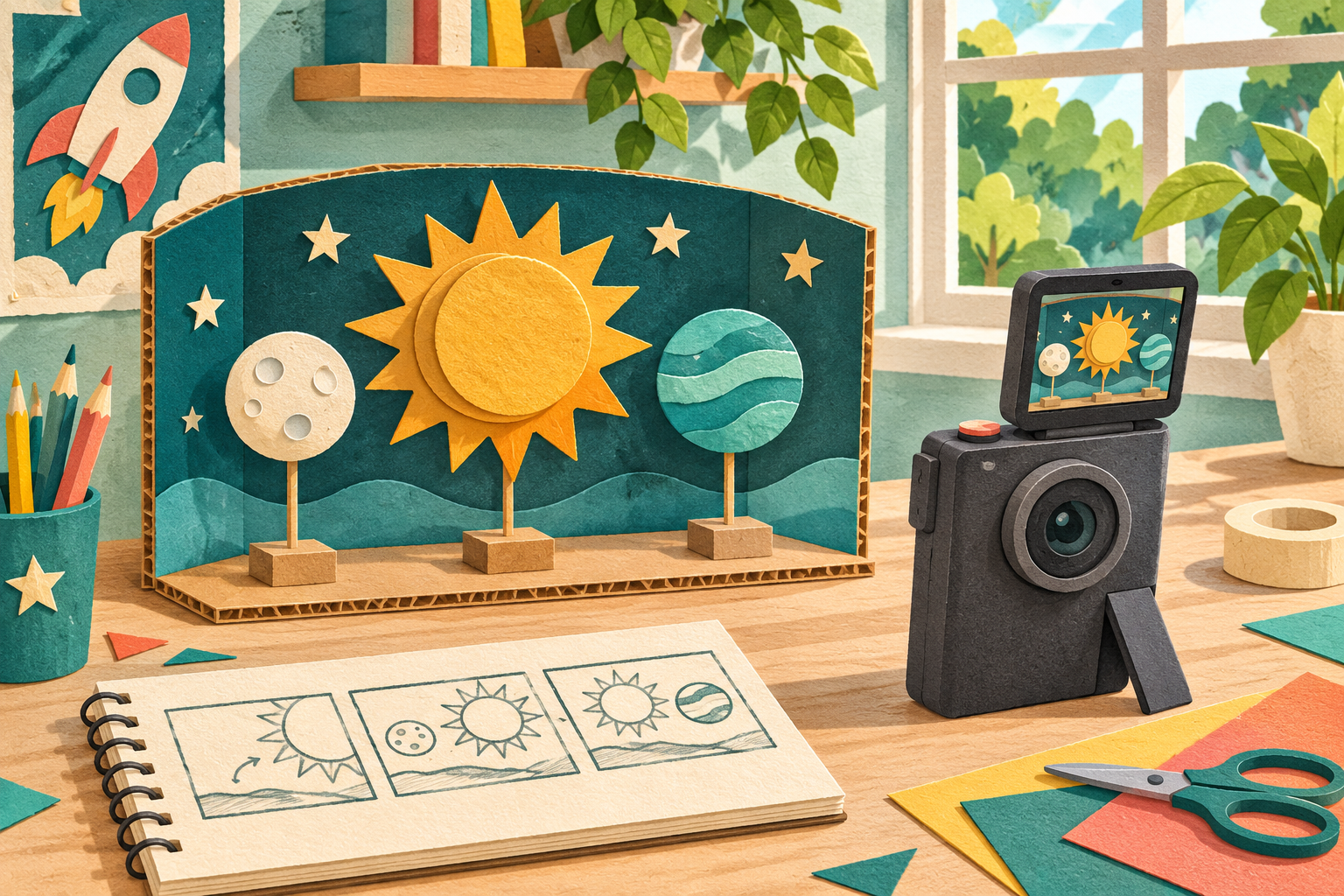
The interesting question is what the film will show. Your teen could introduce the spaceship, reveal one clever detail and finish with its first imaginary voyage. Planning those moments with a three-picture story can help turn an enthusiastic explanation into something with an ending. There is no need to capture every minute of building before the project counts as a movie.
Short takes also leave room to pause, replay a favourite line and try a different angle. Heat or battery conditions can interrupt recording, so we would not buy the V10 expecting uninterrupted long 4K performances. Its most inviting family role is a camera for manageable creative scenes, with breaks between them.
Does your teen need a separate camera?
An existing phone is a reasonable way to discover whether making films is more than a passing idea. It may already handle the first spaceship report perfectly well. The V10 becomes more appealing when your teen wants dedicated equipment for returning to projects, and you would like your phone back while they rehearse another introduction.
Its fixed lens keeps the equipment simple, but limits the directions it can grow. It takes still photographs too, yet we would favour a different camera when learning photography is the main ambition. Our Canon R50 and R100 comparison explores interchangeable-lens alternatives for a teen interested in developing that side of picture-making. The V10’s clearer purpose is compact, presenter-led video.
A little help behind the scenes
Include a compatible microSD card in the plan for the first film; a U3-rated card supports the camera’s standard 4K recording requirement. You handle the small card and help copy finished movies to a computer. Those copies give your teen somewhere to gather their growing collection of episodes without relying on the camera as the only home for them.
The rechargeable battery is built in, so you cannot swap in a spare when the next scene beckons. Plan charging around projects using a Canon-supported USB power adapter. Keep the camera dry and out of excessive heat, and never force the screen or stand. Canon says to keep it out of young children’s reach; straps and small parts need particular care around younger siblings.
You remain the producer for permissions, accounts and sharing. A funny family report can have its premiere at home without a public channel. Ask everyone appearing in it, and look through the finished film together before it leaves the family. Your teen can take ownership of the story while you keep those boundaries clear.
Our verdict: give the idea a starring role
The PowerShot V10 makes sense for an older child or teen who enjoys explaining, demonstrating and performing their own ideas. The stand, self-facing screen and built-in sound put useful tools in one small camera. Its fixed view and built-in battery are meaningful limits, especially for distant subjects or long events. For short creative films, though, the appeal is easy to picture: your teen steps into the frame, introduces their creation and makes it their own.
Canon PowerShot V10 Vlogging Camera
Give your teen a little stage for creative films, with a self-facing screen and a stand built into the camera.
Find in Amazon (paid link)