
Camp Snap 2 Review: Save the Surprise for Home

Reviewed and updated: November 17, 2026 Camp Snap 2 makes the walk the main event and saves the photo show for later. Your child can hunt for a tree that resembles a dragon, a wonderfully crooked fence or the smallest splash in the duck pond, then bring those discoveries home to you. We recommend this … Read more

HUE Animation Studio Pro Review: Your Child’s Tiny Film Studio

Reviewed and updated: November 15, 2026 A clay snail has a very important mission: reach the birthday cake before anyone notices. Your child supplies the plot, a cardboard kitchen and perhaps a dramatic escape. HUE Animation Studio Pro supplies a flexible camera and animation software to turn those little movements into a movie. We recommend … Read more

Canon IVY 2 Review: Turn Your Child’s Photos Into Sticker Adventures

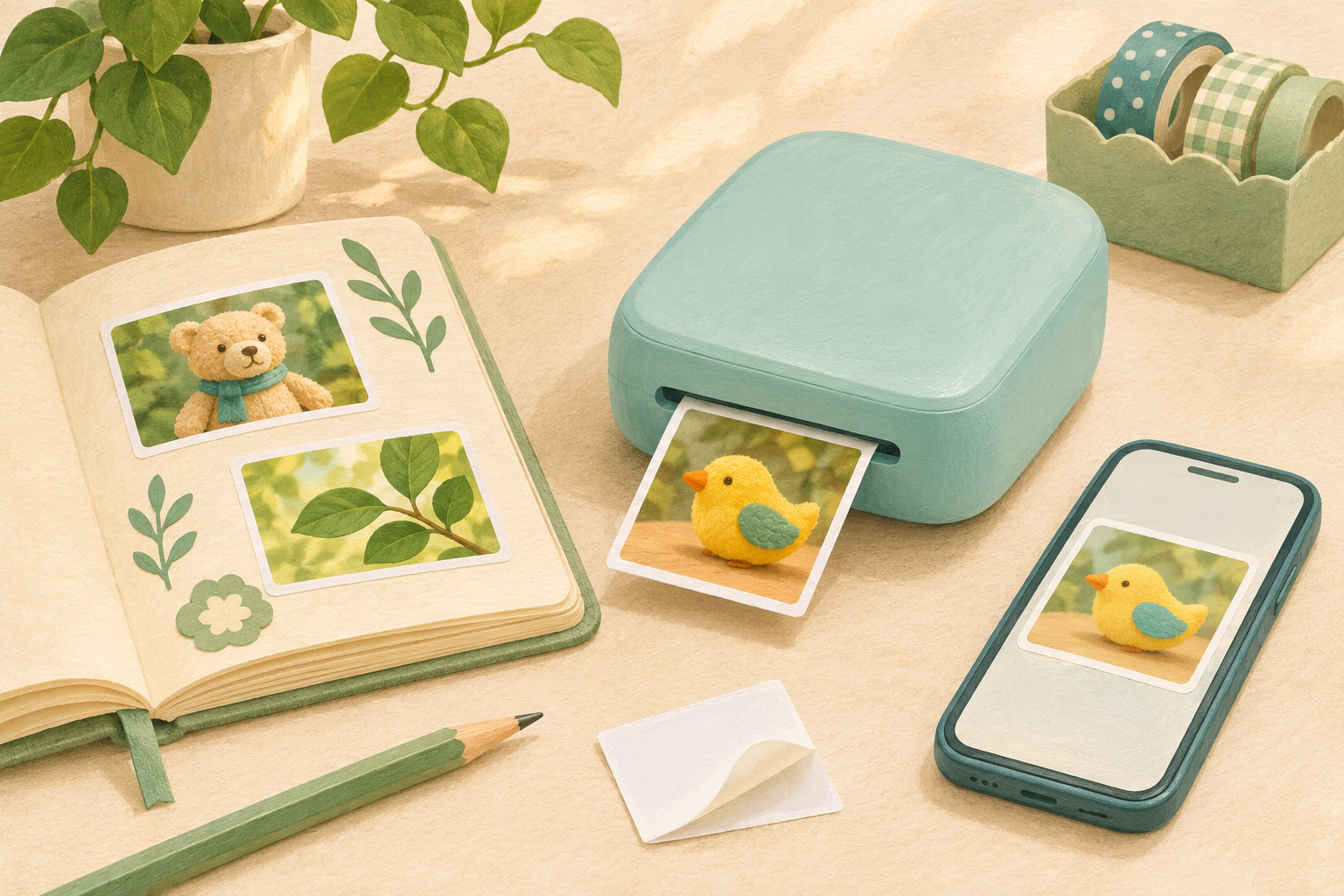
Conceptual illustration of an unbranded pocket printer, toy photo stickers and a phone beside an open family journal

Reviewed and updated: November 10, 2026

Your child’s toy dinosaur could star in a comic strip. A picture of the family dog could become the cover of a homemade pet diary. With the Canon IVY 2 Mini Photo Printer, favourite photos on your phone can turn into little stickers, ready for a scrapbook page filled with drawings, speech bubbles and stories. We recommend it for families who enjoy making things together. Its small 2 × 3-inch prints suit notebook adventures better than big pictures for the wall.

You handle the printer and phone; your child takes charge of the story. The IVY 2 works with a compatible mobile device and the Canon Mini Print app, so the photographs need to be on that device first. It cannot read a camera’s memory card itself. That makes it a useful partner for pictures already on your phone. If the gift you have in mind is a camera your child can use independently, an instant camera offers a different kind of fun.

Little prints, big imaginations

A little sticker gives your child something to build a page around. That dinosaur might be searching for a missing sock. The dog might be announcing a very important nap. Add a drawing beside the photo, give it a silly title, and an ordinary snapshot has a new job in the story. The peel-and-stick backing lets the picture go straight onto a paper page without extra glue or photo corners. Your child can spend more time dreaming up the next scene.

The small format does ask you to keep the photograph simple. A clear picture of one toy or a pet’s face has more room to shine than a distant group of people. A collage squeezes several pictures into the same space, so each one becomes smaller again. For a first scrapbook page, we would let one favourite photo be the star and leave the storytelling to the drawings around it. Detailed family portraits deserve a larger print format.

Pick the picture before you print

Looking through the pictures together is part of the appeal. If the first dinosaur portrait caught more carpet than dinosaur, you can select another without using a sheet. Try a different crop, compare two expressions or bring in an older photo of a much-loved toy. Unlike an analogue instant camera, the IVY 2 does not turn every press of the camera’s shutter into a print. You and your child decide which pictures earn a place on the page.

The Canon Mini Print app adds filters, frames, text and collage options on your phone. A speech bubble written beside the finished sticker can be just as fun as an effect, so there is no need to decorate every picture. Let your child suggest what would help the story, then you manage the app. This is still a phone-based activity: if putting the phone away is the main aim, a camera with its own printing system may suit you better.

Turn favourite phone photos into small stickers for pet diaries, toy comics and family scrapbooks. You manage printing from a compatible phone, using Canon ZINK paper with an adhesive back and no separate ink cartridges.

01

Canon IVY 2 Mini Photo Printer

Turn phone pictures into little stickers for journals and family craft projects, with an adult managing the printing.

Find in Amazon

The paper behind the sticker adventures

There are no separate ink cartridges to replace: the colour-producing material is built into the ZINK paper. Every sticker still uses a sheet, though, so we would agree on a few favourites before starting. Three pictures might be enough for a toy’s big adventure, with drawings filling the spaces between them. That gives the paper a purpose and keeps the session manageable. A large refill pack only makes sense once you know your family enjoys this small sticker format.

Refills need to be Canon ZINK paper compatible with the IVY 2. The tray accepts up to ten sheets plus the matching blue SmartSheet supplied with a paper pack. Keep that sheet with its pack and follow the loading instructions; ordinary photo paper and instant-camera film will not do the same job. Compatible pre-cut sticker paper offers another option, but rectangular sheets are a straightforward starting point when your child mainly wants photos for a journal.

A few favourites for an afternoon of making

Think a cosy craft session rather than a queue of party guests waiting for pictures. Canon rates the battery for approximately twenty sheets per charge and gives a print time of fifty seconds or less, depending on operating temperature. Those are approximate manufacturer figures, not a promise for every session. A few favourite stickers fit that scale well. While you manage printing, your child can plan the next drawing or decide what the dinosaur says when it finally finds that sock.

A charged printer helps keep the afternoon moving. Charging uses USB-C, and Canon lists a USB-A-to-USB-C cable in the standard box. Its quoted full-charge time is approximately forty-five minutes under the stated conditions; the adapter and other factors can change that. Check the actual package and charging instructions before buying rather than assuming a wall adapter is included. We would charge it before bringing out the journal, so the creative part does not begin with a wait for power.

A quick check for grown-ups

Before ordering, check the Canon Mini Print app’s current requirements against the phone or tablet you will actually use. The IVY 2 connects through Bluetooth, with no Wi-Fi printing or memory-card slot. If the pictures start on your child’s camera, you need a compatible way to copy them to your mobile device first. Work out that connection before gift day; it matters more than having a new printer ready beside a pile of blank notebooks.

You can keep the phone in your hands while your child directs the page. Canon’s manual says to keep the printer away from children and infants, so an adult needs to manage the printer, paper and charging. Your child can help select pictures and plan their story without operating the device. Keep your digital photographs safe too: the printed sticker is a keepsake, not a backup. A simple system for keeping those originals organised protects the next adventure as well.

Would a different print size suit your project?

For a different sticker shape, compare the Canon SELPHY QX20. It offers 2.7 × 2.7-inch square paper and a 2.1 × 3.4-inch card-size option, using dye-sublimation printing with matched paper-and-ink sets instead of ZINK sheets. Picture the page your child wants to make: a square photo and a small rectangular sticker leave different spaces for drawing. Our SELPHY printer comparison also explores a larger-print approach if your family wants conventional album photographs.

Our verdict

We would buy the IVY 2 for a family that wants photographs to become part of a creative project: a pet diary, a toy comic or a scrapbook of small discoveries. Its little stickers leave room for your child’s imagination, while you manage the printing. For large family prints or a camera your child can operate independently, look at a different setup. For a notebook full of pictures, drawings and wonderfully unlikely dinosaur adventures, the small format is the attraction.
VTech Creator Cam vs. Action Cam HD: Which Fits Your Child’s Videos?

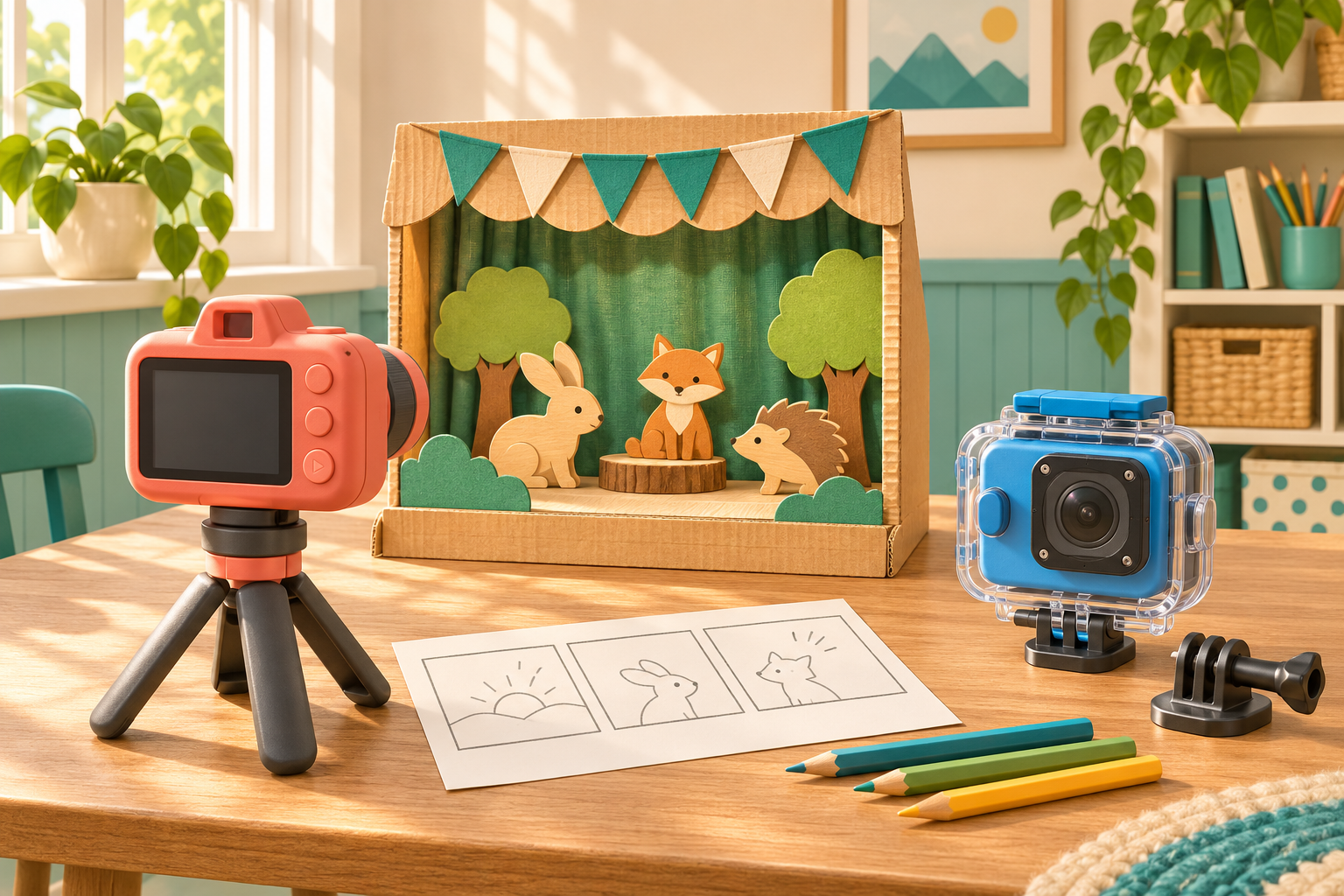
Conceptual illustration of an unbranded toy video camera on a tripod filming a wooden animal stage, beside an action-style camera in a clear case

Reviewed and updated: November 10, 2026

A teddy bear reporting the weather, a pretend cooking show, a toy’s daring escape across the table: if those sound like your child’s kind of film, the VTech KidiZoom Creator Cam is our first recommendation. Its selfie lens, tripod and green screen help turn a corner of the room into a little studio. The Action Cam HD suits a different adventure, using mounts and a protective case to record supervised activities from a new viewpoint. Start with the film your child wants to make.

The U.S. Creator Cam is intended for ages 5–10 and Action Cam HD for ages 4–12. Within those ranges, think about your child’s interests and the setup you can supervise. A young presenter may love make-believe backgrounds. A child recording an existing family activity may need a mount. The HD lettering alone cannot answer that question.

01

VTech KidiZoom Creator Cam

Give your young presenter a tabletop studio for toy shows and green-screen stories, with a selfie lens and tripod.

Find in Amazon (paid link)

A compatible card is required for 720p recording, which excludes video effects.

02

VTech KidiZoom Action Cam HD

Record supervised family activities with mounts, a wide-angle lens and a protective case.

Find in Amazon (paid link)

A little studio for big pretend stories

Creator Cam’s flip-up lens helps your child see where they are in the picture. Its tabletop tripod leaves both hands free for a puppet interview, a drawing demonstration or an extremely serious report about missing biscuits. The tripod also doubles as a selfie stick. For home storytelling, that included support gives the camera a clear purpose from the first afternoon, without asking you to find another way to hold it steady.

A built-in microphone, more than 20 animated backgrounds and on-camera editing tools add possibilities to the scene. Your child could introduce a toy’s big journey, record a short report and decide which part needs another take. The appeal is being able to plan and make something on their own camera. Your phone does not have to become the main piece of filming equipment, leaving you free to help with the story instead.

Some effects need the included green-screen fabric. You will need a place to hang it and room to position the camera in front. For a child who enjoys building a pretend world, arranging the background can be part of the fun. If your child would rather head straight outside, the fabric may spend more time folded away. That is where Action Cam HD’s different package starts to make more sense.

A different view of the adventure

Action Cam HD includes a bike mount, adhesive flat mount, interchangeable wide-angle lens, waterproof case and floating handle. Those accessories give you different ways to position and protect the camera for an existing supervised activity. Think about the view your child wants to record, rather than the longest accessory list. A mount you can actually use adds more to the gift than a box full of pieces with no project waiting for them.

A fixed viewpoint can show an outing differently from a handheld camera. Talk through the picture before setting off, then let an adult arrange the mount according to its instructions. The interesting part is looking back together and spotting what the camera saw. Filming should fit around the outing, not take it over.

An adult needs to set up the mount and check the view while stationary. Your child must not adjust the camera while riding or attempt stunts for a video. Keep their attention on the activity, with filming a small extra. If your family mainly wants funny sketches in a bedroom, Creator Cam’s tabletop setup is the simpler way to get started and avoids mounting equipment that does not help that kind of story.

What those little films can look like

A compatible memory card is important with either model if you want 720p video. Creator Cam’s higher-resolution internal-memory mode is 360p; the 720p option needs a card. Action Cam HD also requires a card for 720p, and its video effects are unavailable in that mode. The resolution and effects listed for a camera do not necessarily work together.

For a child inventing a make-believe news programme, the backgrounds may be the whole attraction. They may be happier with a funny scene than with a bigger resolution number. If your priority is footage to keep alongside your main family videos, give the recording limits more weight. Neither camera records Full HD or 4K. Buy for the little films your child can make, with realistic expectations about how they will look on a large screen.

There is plenty to enjoy in planning a scene and watching the finished clip together. Let your child decide whether the teddy bear should whisper, shout or forget its lines. These cameras give children creative control with your support; they do not replace your main video camera.

The water-case detail for grown-ups

Action Cam HD can be used around water only with its supplied waterproof case prepared and used correctly. The camera itself is not waterproof. VTech specifies use down to 2 metres for 30 minutes under its stated conditions, so the case instructions and inspection are essential parts of that feature.

The protective case is useful only when your family has a safe, supervised reason to use it. If every planned film takes place beside the toy box, Creator Cam directs more of its package toward that play. If an existing family activity calls for the case, Action Cam HD has the clearer role. Keep that distinction in mind when comparing the gifts: a waterproof-case accessory does not turn the camera itself into a waterproof toy.

Prepare and inspect the case yourself, following the full instructions, and continue supervising your child around water. The floating handle does not replace that attention. The camera can help record an activity you already manage safely; it should never be the reason to go farther into water or try something new. Your child can enjoy reviewing the pictures later while you remain in charge of the equipment and the setting.

Have the camera ready for opening night

Both parent guides recommend microSD or microSDHC cards from 1 GB to 32 GB, Class 10 or above; a card is not included. Add one that meets the correct guide’s requirements rather than assuming a larger spare from another device will work. It is the most relevant extra purchase because it affects the recording options available from the start.

Both cameras have built-in, non-replaceable rechargeable batteries. Follow the relevant parent guide for charging and have the camera ready before the first show begins. Compare the exact model and included accessories when ordering, especially if a particular tripod or mount inspired the project. A little preparation is useful here: a child with a story ready to tell will have more fun with a charged, complete kit than a pile of surprise extras to assemble.

Creator Cam uses USB transfer at your discretion, rather than sharing directly online. You can keep the finished films in a private family folder and let your child name each production. Save the originals before clearing space on the camera. Our guide to organising your child’s photo library offers a routine you can adapt to those first teddy-bear broadcasts and toy adventures.

Our recommendation

We would buy Creator Cam for a child eager to present, act and invent stories at home. The tripod, selfie lens and green screen give those ideas somewhere to begin. A three-scene story can be enough for a first film: introduce the character, let something surprising happen, then give it an ending. Keep the production small enough to finish while the enthusiasm is still there.

Action Cam HD is the better fit when a mount or protective case has a real job in your supervised family activities. You manage the setup; your child helps imagine the view and enjoys the result. Either way, buy for the films they want to make. A camera that helps a favourite idea come to life is a better match than accessories chosen simply because the box looks busy.