Reviewed and updated: October 23, 2026
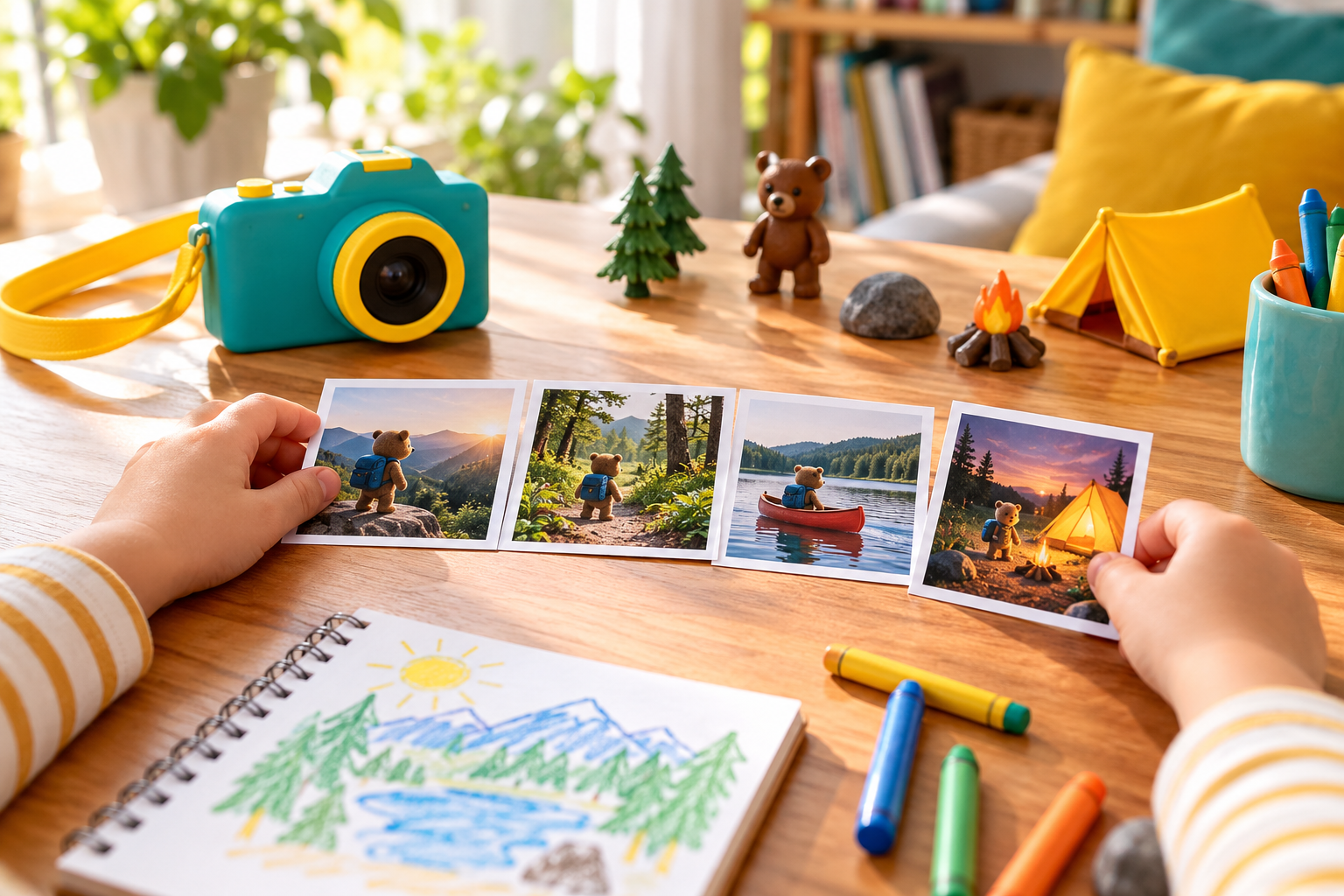
A photo story gives children a reason to plan, observe, sequence, and edit. Start with a tiny beginning-middle-end idea and make privacy and safe movement part of the assignment.
This guide was reviewed against current official product information where a model is discussed. Specifications and packages can change, so verify the exact label or manufacturer page before acting.
Begin with three pictures
Ask the child to tell a complete story in only three frames: beginning, change, and ending. A toy leaving home, building a block tower, or preparing a snack can work. The limit reduces random shooting and makes sequence visible. Adults should approve the location and any food, tools, pets, or movement involved. Make the decision from the real routine rather than a feature list. Check the current instructions, practice the step in a controlled setting, and change one variable at a time. That approach makes results easier to judge and helps prevent an attractive shortcut from becoming a repeated mistake.
Plan with simple picture cards
Draw three blank boxes and let the child sketch what each photo might show. The drawing does not need to be artistic. It is a map for subject, angle, and order. Older children can add a one-sentence caption under each box, while younger children can explain the plan aloud. A useful comparison separates what can be verified from what is merely advertised. Record the model, material, setting, or method you actually used, then review the result before repeating it. Small notes are more dependable than memory when conditions change from one session to the next.
Use wide, medium, and close views
A wide photo introduces the place, a medium photo shows the action, and a close view reveals a useful detail. Let the child try the same scene from all three distances while standing safely. Zooming with feet is not appropriate near roads, stairs, water, ledges, or moving activity. Keep the process simple enough to repeat. Prepare the workspace first, follow the relevant maker or safety directions, and stop when something looks, smells, sounds, or feels wrong. A careful routine usually produces a better result than adding more steps without a clear purpose.
Keep the camera steady
Use two hands, tuck elbows comfortably, pause breathing for the press, and wait a moment before lowering the camera. A tabletop or stable surface can help. Avoid improvised supports that can fall. If the camera has a strap, fit it according to the maker and supervise cords around young children. Make the decision from the real routine rather than a feature list. Check the current instructions, practice the step in a controlled setting, and change one variable at a time. That approach makes results easier to judge and helps prevent an attractive shortcut from becoming a repeated mistake.
Photograph actions in stages
Instead of asking a subject to repeat a risky motion, choose a calm activity and photograph safe stages. A stuffed animal can travel across a room, ingredients can be arranged before an adult cooks, or leaves can move from a basket into a collage. The story comes from order rather than danger. A useful comparison separates what can be verified from what is merely advertised. Record the model, material, setting, or method you actually used, then review the result before repeating it. Small notes are more dependable than memory when conditions change from one session to the next.
Review before taking more
After each three-frame attempt, look at the pictures together. Ask what the viewer learns first, what changed, and whether the ending is clear. Choose one specific improvement, such as moving distracting objects or changing the close-up. Avoid turning the review into criticism of the child’s taste. Keep the process simple enough to repeat. Prepare the workspace first, follow the relevant maker or safety directions, and stop when something looks, smells, sounds, or feels wrong. A careful routine usually produces a better result than adding more steps without a clear purpose.
Protect privacy by design
Use toys, hands, objects, and controlled family spaces when possible. Do not photograph names, addresses, school information, screens, mail, license plates, or other children without permission. Remove location metadata when appropriate and keep account credentials with an adult. A good story does not require revealing personal details. Make the decision from the real routine rather than a feature list. Check the current instructions, practice the step in a controlled setting, and change one variable at a time. That approach makes results easier to judge and helps prevent an attractive shortcut from becoming a repeated mistake.
Edit the sequence, not the memory
Let the child select the strongest three to six images and arrange them in order. Cropping or light adjustment can help, but the goal is communication rather than perfection. Save the originals in the family backup before editing. Printed contact sheets or a private family slideshow make sequence easy to discuss. A useful comparison separates what can be verified from what is merely advertised. Record the model, material, setting, or method you actually used, then review the result before repeating it. Small notes are more dependable than memory when conditions change from one session to the next.
Repeat with a new constraint
Try a story using only one color, only close details, or one room. Another day, tell the same event from the viewpoint of a toy. Constraints keep the activity fresh without buying equipment. End by letting the child title the story and explain one choice they would use next time. Keep the process simple enough to repeat. Prepare the workspace first, follow the relevant maker or safety directions, and stop when something looks, smells, sounds, or feels wrong. A careful routine usually produces a better result than adding more steps without a clear purpose.
Quick checklist
- Plan a beginning, change, and ending.
- Use wide, medium, and close views.
- Choose calm, supervised activities.
- Review after each short sequence.
- Remove identifying details.
- Back up originals before editing.
Why these checkpoints matter
- Plan a beginning, change, and ending. This defines the starting condition and prevents the rest of the process from resting on an assumption.
- Use wide, medium, and close views. This narrows the choice to evidence you can verify on the exact label, model, or scene.
- Choose calm, supervised activities. This checkpoint reduces avoidable risk before another variable is introduced.
- Review after each short sequence. This keeps the routine compatible with the person, product, material, or equipment involved.
- Remove identifying details. This creates a repeatable step instead of relying on memory or marketing language.
- Back up originals before editing. This final review catches changes in condition, availability, or instructions before the next use.
Common questions
How many photos should a child take?
Start with three, then expand to five or six when the sequence is clear.
Does the child need a printer?
No. A private slideshow or images arranged on a tablet can teach the same sequence skills.
What if the photos are blurry?
Choose one steady-hold technique and try again in better light rather than correcting every issue at once.