
Reviewed and updated: November 10, 2026
A picture of a favourite toy can become the first page of a scrapbook, and a family selfie can turn into a little keepsake to share. We recommend instax Mini 12 for simple supervised film photography, Canon IVY CLIQ+2 for an adult-managed ZINK sticker project, and Kodak Mini Shot 3 Retro when previewing and phone printing fit the plan. Begin with what your child wants to make, then match the format, handling and ongoing supplies to that idea.
Start with the picture your child will keep
Instax Mini, Instax Square and Kodak dye-sublimation supplies belong to different printing systems; the Canon option here uses compatible ZINK paper. Look at the finished print size before deciding on the camera. Will it sit beside a drawing, fill a scrapbook page or become a small portrait collection? Then compare the cost of the exact refills and storage needs. An adult should handle loading and compatibility checks. Similar-looking packets are not permission to swap systems.
Fujifilm Instax Mini 12
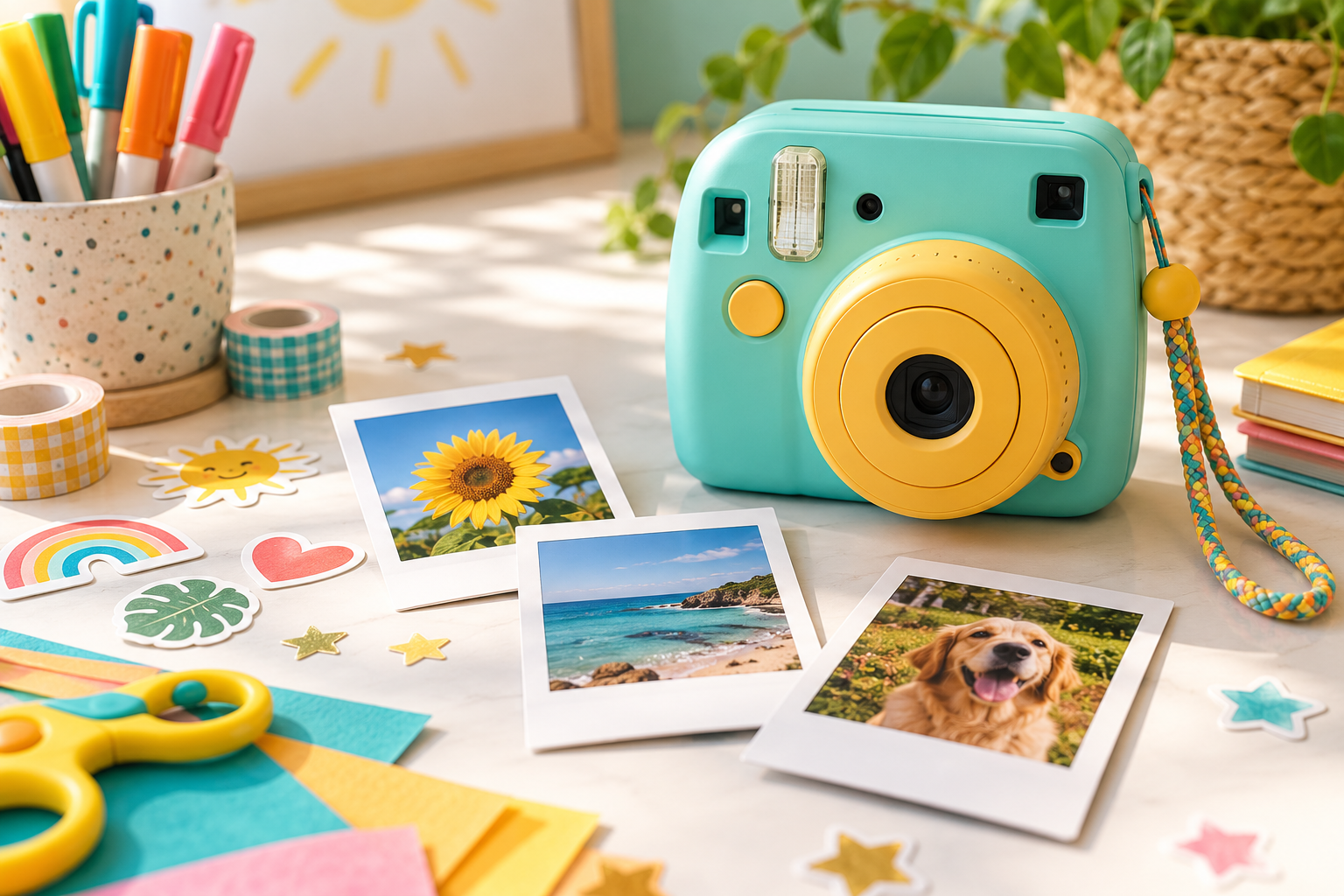
The Mini 12 keeps its analogue-camera approach straightforward with automatic exposure, close-up mode and simple controls. Each shutter press still uses a sheet of matching instax Mini film, with no preview or undo. That suits a child who enjoys planning a few keepsakes and waiting for them to develop. It is less suited to a first session built around taking dozens of attempts. Your film plan is part of the gift, alongside the camera your child can hold comfortably.
Canon IVY CLIQ+2
Canon IVY CLIQ+2 combines picture capture with sticky-backed ZINK prints and app-connected features. For an adult-managed family craft session, that can connect a photograph to a journal page or a little toy story. Decide whether phone pairing helps the project or makes it more complicated than you want. Follow the exact model’s adult supervision and safety instructions, keep controls and permissions with you, and let your child direct the page rather than treating the device as a toy.
Kodak Mini Shot 3 Retro
Kodak Mini Shot 3 Retro can print photographs from its own camera and compatible phone images using its matching cartridge system. A preview lets you select the picture before printing, which is useful when a teddy bear’s first portrait includes mostly carpet. The larger body also needs a comfortable grip and carrying plan. Check the exact model, mobile compatibility and paper-and-colour supplies, with an adult handling setup. The extra functions are worthwhile when you will actually use that mix of pictures.
Leave room for the next little print
Agree on a manageable number of prints before the project begins. Your child can plan a short story while you work out the refill commitment. A camera’s purchase price is only part of what you will spend if every practice attempt uses film or paper. Compare the exact pack’s usable print count and the actual offer, without assuming that a large bundle picture includes everything shown. A few well-planned keepsakes can be enough for a satisfying first afternoon.
Teach safe handling
Help your child find a comfortable grip without covering the lens, flash or print slot, and use a suitable wrist strap as instructed. Supervise around roads, water, stairs, crowds and pets; a colourful instant camera is still equipment to care for. Begin with a patient toy at a safe table before a busy family occasion. Keeping the first subject simple leaves room to learn the camera without asking your child to watch a complicated scene and unfamiliar controls at once.
Protect privacy
Practise asking before photographing another person, including siblings and visiting friends. Look through the whole frame before sharing: school details, addresses, screens and location clues may appear behind the main subject. You manage connected-app accounts and sharing controls. Your child can still give the pictures a small audience through a private family album or a scrapbook you look at together. A printed photograph does not remove the need to respect someone’s privacy.
Store film correctly
Follow the exact film or paper manufacturer’s temperature, storage and expiry guidance. Let prints emerge and develop as instructed, without bending them, cutting them open or exposing cartridges outside the loading instructions. An adult should manage the supplies and keep them out of younger children’s reach. The waiting time can belong to the page planning: your child thinks about a title or the next scene while you look after the print and equipment.
Our recommendation for your family project
Mini 12 makes sense for a few deliberate analogue keepsakes. IVY CLIQ+2 offers a different adult-managed route to ZINK sticker crafts, while Mini Shot 3 Retro suits a family who wants previewing and compatible phone pictures. The right option is the one that fits your actual session and supervision. Picture the finished scrapbook page, then buy the camera and supplies that help you make it without adding features your family does not want to manage.
Instant cameras for creative projects
For a few deliberate film keepsakes, with simple operation and an adult handling film loading.
Fujifilm Instax Mini 12
A simple instant-film starting point for a few planned keepsakes.
For an adult-managed ZINK sticker project. You operate and pair the device while your child directs the craft idea.
Canon IVY CLIQ+2
A camera-and-printer option when your child enjoys directing a craft project while you manage the device.
For choosing a picture before printing and using compatible phone images. Confirm the exact paper-and-cartridge system.
Kodak Mini Shot 3 Retro
It belongs in the comparison if your family is interested in the camera-and-printer experience and is willing to manage the matching paper-and-cartridge supplies.
Price a finished party album
For a party, count the prints you want guests to take home and any separate family copies, then allow for a few practice frames. Check the exact film or cartridge pack size and whether another copy needs another exposure or print. A small, adult-managed station is easier to plan than promising unlimited pictures. For an ordinary afternoon at home, let your child’s three-picture toy adventure set a smaller goal, leaving the next idea for another day.
Make the print format part of the gift
Before wrapping a camera, show your child a paper rectangle in the actual print dimensions. Ask where it will live: beside a drawing, inside a small album or on a journal page. Leave room for the border or a caption instead of assuming every advertised print size is all picture. This small comparison makes the difference between a film keepsake and a sticker project much easier to understand than a list of camera specifications.
Prepare the first project with the right supplies and a clear place for finished pictures. You can handle loading while your child sketches a title page. Keep the camera, spare supplies and completed prints in separate suitable places so developing film or an open cartridge does not become part of the craft materials. The camera starts the project; having somewhere to keep the picture is what lets the afternoon become a little collection.