
Reviewed and updated: November 9, 2026
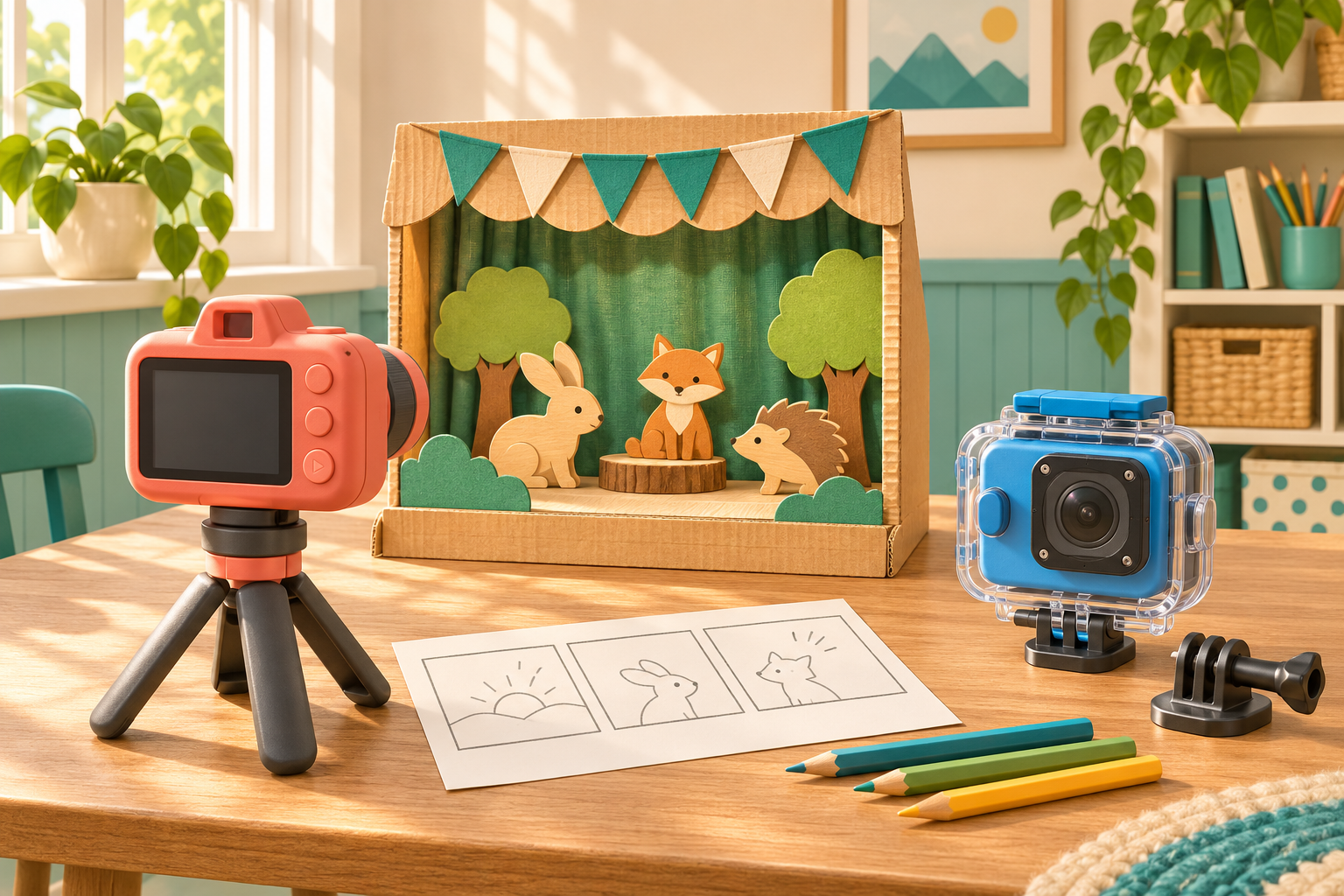
The VTech KidiZoom Creator Cam is our first choice for a child who wants to present a show, act out stories or make videos at home. Its selfie lens, tabletop tripod and green screen give those projects a clear starting point. The Action Cam HD takes a different approach, with mounts and a protective case for recording supervised activities. The better purchase depends on whether your child wants to appear in the story or record the view from an activity.
That difference is more useful than comparing the HD wording on the boxes. Both are creative children’s cameras, with recording limits that matter alongside the accessories. The U.S. Creator Cam is intended for ages 5–10 and the Action Cam HD for ages 4–12. Within those ranges, your child’s interests and the amount of setup you can supervise are the stronger reasons to favour one package.
VTech KidiZoom Creator Cam
A tabletop filming kit for presenting, stories and green-screen play, with a selfie lens and tripod. This button opens Amazon search results for the U.S. Creator Cam.
View on Amazon (paid link)
VTech KidiZoom Action Cam HD
Mounts, a wide-angle lens and a protective case support supervised activity filming. A compatible card is needed for 720p video, which excludes video effects. This button opens Amazon search results for Action Cam HD.
View on Amazon (paid link)
Creator Cam turns a table into a small studio
Creator Cam’s accessories work together around a child facing the camera. The flip-up lens helps them see their position, while the tabletop tripod leaves both hands free to demonstrate a toy, show a drawing or act out a scene. The tripod also doubles as a selfie stick. You are buying the beginnings of a filming setup, rather than a camera that immediately needs another support.
A built-in microphone, more than 20 animated backgrounds and on-camera editing tools develop that idea further. A pretend news broadcast or a short adventure with toys gives those features a purpose. Your child can plan a scene, record it and experiment with the presentation without making the main activity depend on your phone.
Some effects need the included green-screen fabric, so the setup is not entirely contained in the camera. You will need somewhere to hang the fabric and enough room to position the camera in front of it. For a child who enjoys arranging a scene, that preparation can be part of the project. For someone who mainly wants to press record while heading outside, it is less relevant than Action Cam HD’s mounting options.
Action Cam HD is built around the viewpoint
The Action Cam HD package includes a bike mount, an adhesive flat mount, an interchangeable wide-angle lens, a waterproof case and a floating handle. Its distinguishing feature is the variety of ways you can position and protect the camera. That is a stronger reason to buy it than its sporty appearance alone.
A mounted camera records from a fixed position, giving an activity a different viewpoint from a tabletop presentation. Before ordering, think about an activity your family already enjoys and where the camera would go. A real use for the mount makes this a more purposeful purchase; an impressive accessory collection can otherwise spend most of its time in a drawer.
The mounting also adds adult work. Set up and check the view while stationary, follow the full mounting instructions and keep recording secondary to the activity. Your child should not adjust the camera while riding, and a new camera is no reason to attempt stunts. For home storytelling, Creator Cam’s simpler tabletop arrangement avoids that extra layer of preparation.
The recording limits behind the HD label
A compatible memory card is important with either model if you want 720p video. Creator Cam’s higher-resolution internal-memory mode is 360p; the 720p option needs a card. Action Cam HD also requires a card for 720p, and its video effects are unavailable in that mode. The resolution and effects listed for a camera do not necessarily work together.
That matters most when your child is attracted by the playful backgrounds. You may find that the effects are the point of the camera, with the resolution number taking second place. Conversely, if your main aim is footage to keep alongside family videos, the recording ceiling deserves more weight. Neither model records Full HD or 4K.
We would therefore treat these as creative tools your child can operate, rather than replacements for your main video camera. A short story made independently can be a worthwhile result even when the image is not comparable to your own equipment. Buying for that kind of involvement gives the accessories and controls a clearer purpose than expecting a small children’s camera to handle every recording job.
The case adds a capability, not waterproofing to the camera
Action Cam HD can be used around water only with its supplied waterproof case prepared and used correctly. The camera itself is not waterproof. VTech specifies use down to 2 metres for 30 minutes under its stated conditions, so the case instructions and inspection are essential parts of that feature.
For a family with an existing supervised use for it, the case is a meaningful difference between the packages. It is less valuable when nearly every video will be made in a bedroom or at a craft table. In that situation, Creator Cam directs more of the package toward the kind of filming your child will actually do.
Handle the case preparation yourself and continue supervising your child around water. The floating handle does not replace that attention. The useful question is whether this equipment supports an activity you already manage safely, not whether the gift gives you a reason to invent a new one.
Memory, charging and keeping the finished videos
Both parent guides recommend microSD or microSDHC cards from 1 GB to 32 GB, Class 10 or above; a card is not included. Add one that meets the correct guide’s requirements rather than assuming a larger spare from another device will work. It is the most relevant extra purchase because it affects the recording options available from the start.
Both cameras have built-in, non-replaceable rechargeable batteries, with charging handled according to the relevant parent guide. That makes charging another task to plan before a filming session. Match the complete camera name and included accessories when comparing packages, particularly if you want a ready-to-use gift rather than a camera missing the support that attracted you.
Creator Cam uses USB transfer at your discretion instead of sharing directly online. You can decide which projects to save and which to share, while keeping the originals together. A simple folder for each project is enough to begin; our guide to organising your child’s photo library covers a routine you can adapt to video files.
Our recommendation
Creator Cam is the more complete fit for presenting and storytelling at home. Its tripod, selfie lens and green screen support those activities from the first project. A short three-scene story is an approachable way to give the kit a purpose without making the production elaborate.
Action Cam HD is the better match when a mount or the protective case is central to what your family wants to record, and you can manage that setup. Keep the decision focused on the videos your child wants to make. The right accessories are the ones that help them make those videos, not the ones that make the longest feature list.