
Reviewed and updated: November 11, 2026
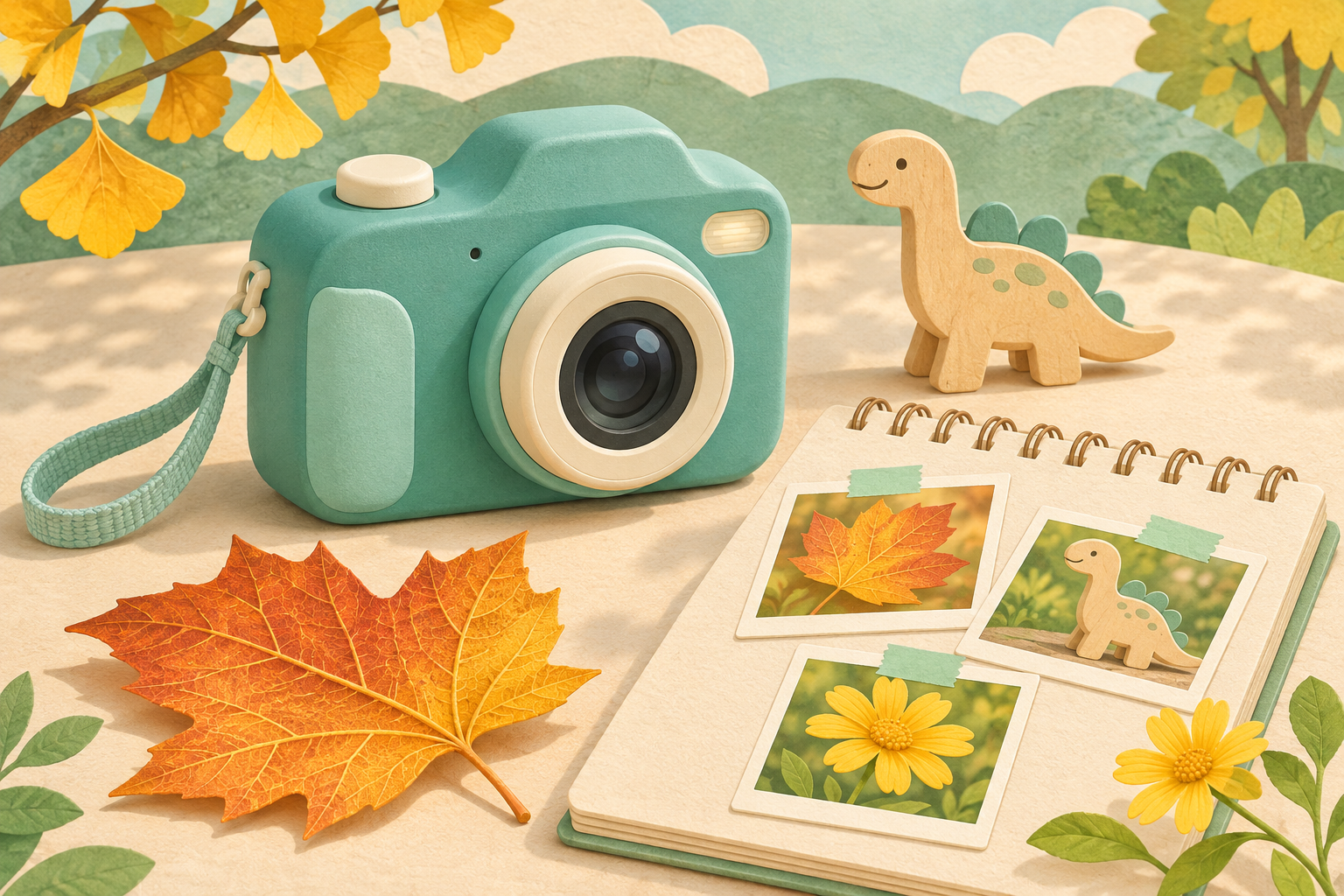
A leaf can look like a secret map. A toy dinosaur can become the star of a tiny adventure. The myFirst Camera 3 gives your child a way to collect those discoveries, with a close-up mode for little details and a selfie lens for joining the story. We recommend it for a child who wants a camera of their own for everyday exploring, with a grown-up nearby to help with the buttons. Its small screen and extra button presses make it less appealing if your priority is the simplest possible first camera.
The attraction is the variety of pictures your child can try without borrowing your phone. A flower, a funny face and a short toy movie all belong in the same afternoon. This is a digital camera, so pictures stay digital until you copy or print them elsewhere. If the gift you have in mind is a photograph that pops out immediately, an instant camera will deliver a different experience.
A pocketful of little discoveries
The close-up mode is the Camera 3’s most interesting reason to buy. Your child can investigate the pattern on a leaf or give a favourite toy its big portrait moment. It adds another way of looking beyond pointing the camera across the room. For a child who notices every pebble on a walk, that is a lovely starting point: the interesting picture might already be at their feet.
Macro mode takes a long press of the Up button, rather than happening automatically whenever something is close. You may need to show that move a few times and help your child return to normal shooting afterward. Picture a budding explorer who enjoys learning a new trick, rather than a toddler who just wants one big shutter button. There is no need to promise microscope-like detail; the useful feature is an invitation to pay attention to smaller subjects.
Let your child step into the story
A separate selfie lens sits above the screen. Your child can switch views with the lens-switcher button and see the picture while facing the camera. That makes room for a portrait with a favourite cuddly toy, or a face to go beside the discoveries in a homemade photo diary. Ask before photographing other people, and keep sharing decisions with you rather than treating every funny picture as something to post.
The two-inch colour screen keeps the camera compact, but also gives little details less room. If your child struggles to see what is in the frame, that small display could matter more than the selfie feature. Think about how comfortably they can hold the camera and find the controls. The manufacturer lists a broad age range of three to thirteen; we would put more weight on your child’s patience, grip and interest than on the birthday printed on the box.
myFirst Camera 3
A digital camera for little discoveries, toy portraits and selfie stories, with a close-up mode and a separate selfie lens. Its small screen and button shortcuts suit a child happy to learn alongside you.
View on Amazon (paid link)
More possibilities, a little more learning
Preloaded frames, filters, a self-timer and continuous shooting give your child different ways to play with a picture. A frame could turn a toy portrait into a character card; the timer offers a chance to arrange a scene before stepping into it. The camera also records 1080p video. Holding the shutter starts recording, so a little guidance helps distinguish taking one photograph from beginning a movie.
Those options are useful when your child enjoys experimenting. They also mean more controls to remember. We would introduce ordinary pictures first, then add a favourite effect once the basics feel comfortable. If a busy menu quickly becomes frustrating, look for a simpler design. The right first camera is one your child wants to pick up again, rather than the one with the longest list of tricks.
What the photo numbers do—and don’t—tell you
Photo settings reach 16 megapixels, but that number alone cannot tell you how pleasing a picture will look. Light, focus and a steady hold still matter. When autofocus is enabled, the camera pauses to focus before capturing the picture. A toy sitting on a windowsill gives your child a calmer starting subject than a dog racing across a dim room. We would buy this for creative exploration, rather than expecting it to replace your main family camera.
The small display is useful for checking whether the dinosaur made it into the frame, but you will want to look at favourites on a larger screen together. That is where your child can spot a funny expression or discover that the interesting leaf was hiding behind their thumb. If they are already keen on detailed prints and more deliberate photography, a more capable compact camera may leave them more room to grow.
Ready for the outing you actually take
The camera weighs about 80 grams, and a detachable protective pouch is included. That light starting weight is appealing for little hands, but the pouch is not permission to throw it into rough play. Keep adventures dry: the manual warns against water and splashes. For beach paddling or a rainy camping trip, a genuinely waterproof camera is the more appropriate purchase.
Let an adult handle charging, small memory cards and any reset tool. Keep straps clear of climbing equipment and other snagging hazards. These are small practical details that make a difference to the kind of outing you can enjoy. A gentle garden wander and a playground climbing session ask different things of a camera; do not buy the Camera 3 as an action camera just because its pouch looks protective.
A little preparation before gift day
Storage supports a microSD card up to 32GB. Check the exact package for the included card and accessories, then make sure you can copy pictures to your computer with a compatible card reader. The charging connection deserves a specific check too: current manufacturer pages differ between Micro-USB and USB-C. Confirm the connector on the actual version you are ordering and use its supplied instructions, rather than buying a cable from the product name alone.
Once the camera is ready, give those pictures somewhere to go. Your child might pick three favourites for a little discovery diary, while you keep a copy of the originals. Our ideas for creative photo projects offer a next step when the first round of toy portraits is finished. That sense of making something can matter more than another accessory in the box.
Our verdict: a camera for curious little storytellers
The myFirst Camera 3 makes most sense when your child is excited by tiny details, wants to appear in their own pictures and enjoys learning a few camera tricks with you. Its close-up and selfie options give that curiosity somewhere to go. For simpler controls, wet adventures or instant paper keepsakes, put a different kind of camera on your shortlist. If you are still finding your child’s starting point, our first-camera guide compares other approaches. For a dry afternoon of leaf maps, toy portraits and small discoveries, the Camera 3 has a clear appeal.