
Reviewed and updated: November 15, 2026
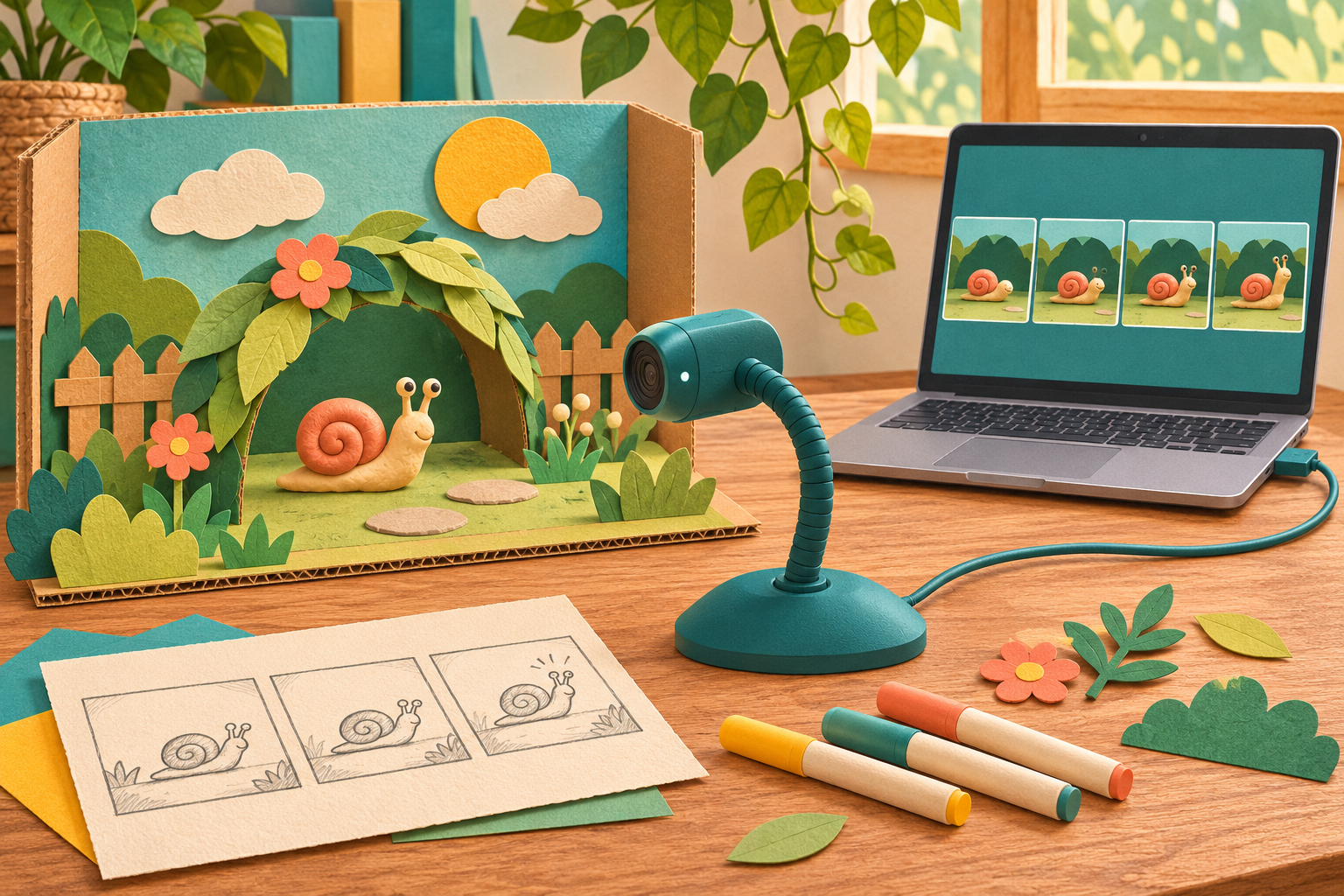
A clay snail has a very important mission: reach the birthday cake before anyone notices. Your child supplies the plot, a cardboard kitchen and perhaps a dramatic escape. HUE Animation Studio Pro supplies a flexible camera and animation software to turn those little movements into a movie. We recommend it for children who love making things and would enjoy bringing their creations to life with you.
This is a lovely match for the child whose models already have names, personalities and unfinished adventures. Instead of filming someone playing with them, your young director moves the characters a little between photographs. Played together, those pictures make the snail appear to travel all by itself. You’ll need a compatible Windows or Mac computer and a spot for the set, so think shared craft project rather than grab-and-go camera.
From the craft table to the opening scene
Part of this kit’s appeal is that the things your child already enjoys making can become the cast. A paper bird can flap across a painted sky; a clay creature can emerge from an egg. There is no need for a box of elaborate scenery before an idea deserves its first film. The camera gives those familiar craft materials another life.
The Pro package brings together the HUE HD Pro camera, its base and USB cable, the HUE Book of Animation and Stop Motion Studio for HUE software. The software license is for one user and has no expiry date. Having the camera, book and software together makes this an appealing gift when you want to get into animation without piecing together a studio from separate purchases.
The book and downloadable backgrounds, cut-outs and other resources are especially welcome when enthusiasm arrives before a story does. Your child can start with a ready-made setting, then invent the unexpected visitor. As their confidence grows, homemade scenery can take over. The kit offers a starting point without deciding what every finished film must look like.
A camera that can peek into their world
A tall camera looking down on a model can make it seem small. Bring the viewpoint nearer to the character, and suddenly a cardboard doorway can feel like the entrance to a castle. The HUE HD Pro’s bendy neck lets you aim toward a model scene or down at paper shapes. That flexibility is one of the strongest reasons to consider it for a young maker.
It also leaves room for different kinds of imagination. An older child might prefer an overhead animation in which hand-drawn planets glide around a paper sun. A model builder might want a creature walking toward the camera. Both suit this little desktop setup, without needing a different support for every new idea.
The camera captures native Full HD 1080p video and has a wide-angle lens, useful for fitting a small stage into view. Focus is adjusted with a ring on the camera. You help make the character sharp, then leave that distance alone while the scene unfolds. Unlike autofocus, it won’t keep hunting for a new subject as a hand reaches in to move a prop. A new camera position needs a fresh focus adjustment, but that small bit of help gives your child a steadier-looking world to work in.
The little ghost that helps the story move
Making the snail travel smoothly is easier when your child can see where it just was. The software’s onion-skin view places a faint image of earlier frames over the live picture. Think of it as a ghostly footprint: your young animator can judge the next movement against the last one, rather than trying to remember its position.
That makes experimenting part of the attraction. Tiny movements can suggest a cautious creep; bigger changes can give a character a sudden dash. Playback lets your child see how those decisions look in motion. Changing the speed or removing an unwanted frame offers another chance to shape the scene, without throwing the whole idea away.
There’s a satisfying connection here between something your child does with their hands and what appears on screen. It suits a patient tinkerer who likes improving a creation. A child hoping to press one button and get a finished cartoon may enjoy ordinary video more. Animation asks them to make the movement, and that’s also where much of its creative freedom comes from.
Give the snail a voice
A whispered plan or an outrageously serious narrator can turn a short sequence into a story. The camera includes a microphone, and the software supports adding audio. Your child can invent a character’s voice while you help with recording. A few words can give the film personality without a separate microphone being the next thing on your shopping list.
Built-in LED lights are another useful part of the Pro camera. They switch on with a tap on the camera head and can help illuminate the little stage. Keep the lighting settled for a sequence; changing it halfway through can make one part of the film look different from the next. These lights are a handy starting point, rather than a promise that every room or scene will be perfectly lit.
Which kind of little filmmaker will enjoy it?
We’d put this kit on the shortlist for a child who enjoys building, drawing or inventing stories and wants those interests to meet. Keeping a dedicated camera beside the computer also frees your phone for everyday life. With space to leave a set standing, an unfinished adventure can wait for another afternoon instead of losing its stage whenever you need your phone back.
The standard HUE Animation Studio includes a HUE HD camera with the book and animation software. Pro adds the HUE HD Pro camera’s Full HD capture and built-in lights. Those are useful reasons to favour Pro for a family planning more model films and overhead paper adventures; the name alone isn’t a reason to stretch your budget.
An existing phone and suitable animation software are a reasonable way to try the idea first. You can also make a three-picture photo story together to see how much your child enjoys inventing a beginning, a surprise and an ending. The dedicated kit becomes more appealing when making the next movie is something they want to return to.
A little help from the grown-up producer
The included animation software needs Windows 10 or later, or macOS 11 or later. Its requirements are narrower than the camera’s general USB compatibility: a Chromebook or tablet isn’t a replacement for that supported computer. You handle the HUE account, book-code registration, software download and activation. There’s no installation CD. You’ll also need a suitable USB connection or adapter; the camera draws its power from the computer.
Keep the cable away from passing feet, help secure the workspace and handle cutting tools for scenery. Craft materials should suit your child’s age, with small pieces kept away from younger siblings. Before sharing a finished film, look over names, voices and anything personal in the background together. A family screening can be every bit as special as posting it online.
Our verdict: let their creations take the lead
HUE Animation Studio Pro makes the most sense as a creative gift with somewhere to grow. The flexible camera, visual help between frames and room for sound give your child several ways to develop an idea. We’d recommend it for a young maker who wants a little film studio at the family computer. For a child who prefers roaming outdoors taking pictures, a standalone camera and some playful photo missions are a better fit. But for the storyteller already plotting that snail’s escape, there’s plenty here to get the next adventure moving.
HUE Animation Studio Pro Stop Motion Animation Kit
Bring your child’s models and paper characters to life with a flexible camera and a little desktop film studio.
Find in Amazon (paid link)