
Reviewed and updated: November 6, 2026
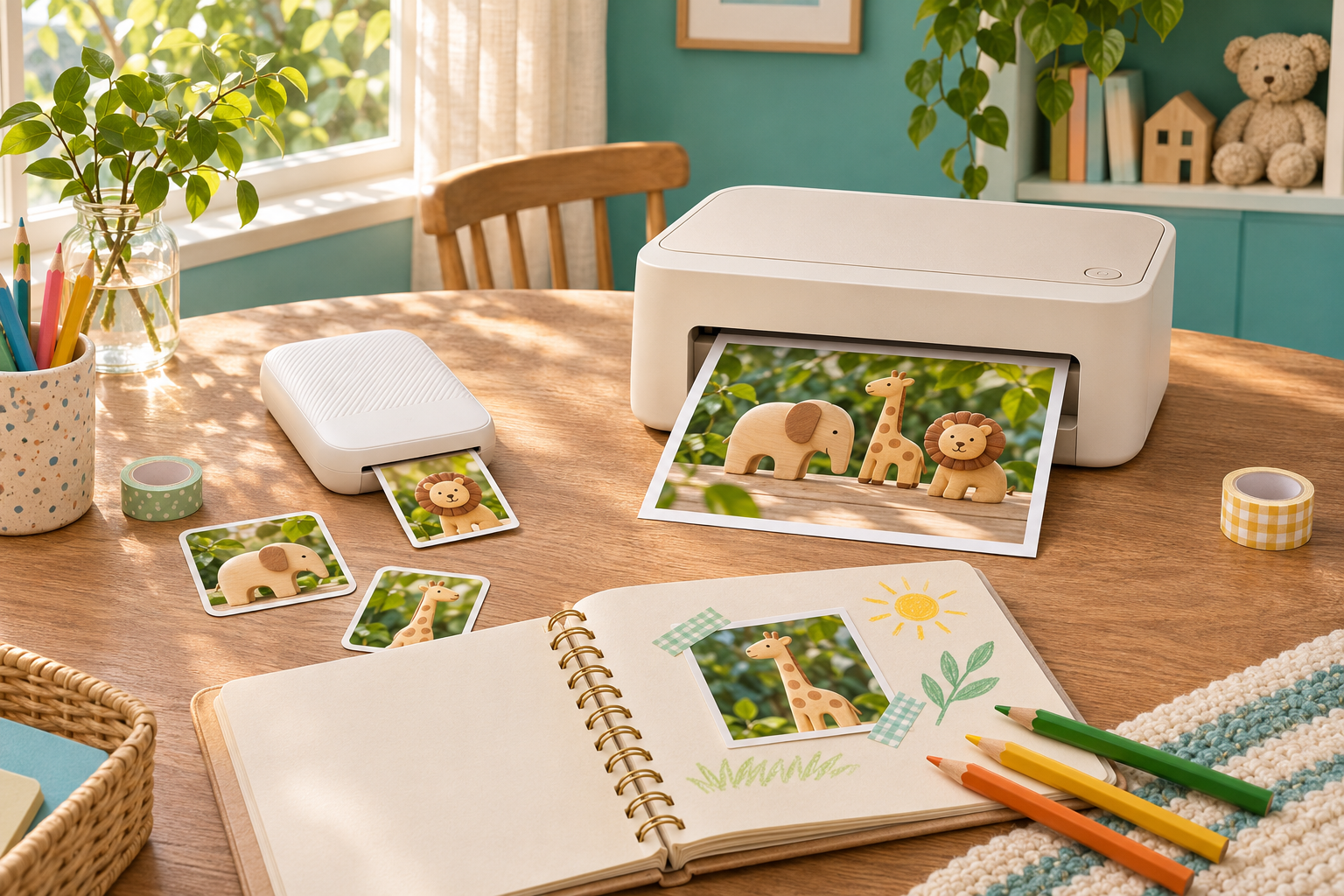
Choose the Canon SELPHY QX20 for small photo stickers in a child’s journal. Choose the SELPHY CP1500 for a family printing station built around larger 4-by-6-inch photographs. The important decision is where the finished pictures will go: a scrapbook corner and a conventional photo album ask different things of a printer.
Which printer fits your family project?
These are adult-managed photo printers, not children’s cameras or toys. This comparison uses Canon’s published specifications rather than hands-on testing. Our recommendations interpret those features for family projects; they are not claims about measured print quality. Neither printer takes photographs. You first need a usable digital image and a compatible way to send it to the printer.
Canon SELPHY QX20 Compact Photo Printer
Choose for: small sticker pictures for journals and family crafts. Canon lists a built-in rechargeable battery, USB-C charging and square or card-format sticker media. Skip if: you want 4-by-6-inch prints or printing directly from a memory card.
View current Amazon search results for Canon SELPHY QX20 Compact Photo Printer (paid link) (paid link)
Canon SELPHY CP1500 Compact Photo Printer
Choose for: an adult-managed family photo station. Canon lists 4-by-6-inch printing, a 3.5-inch display, direct SD-card input, Wi-Fi and USB connectivity. Skip if: you want a small printer with an included built-in battery for phone-led sticker projects.
View current Amazon search results for Canon SELPHY CP1500 Compact Photo Printer (paid link) (paid link)
Decide the print size before the printer
Put a blank sheet beside the album, notebook or frame your child wants to fill. Mark the intended picture area and leave space for a caption. A small sticker can be a useful accent in a journal but feel lost on a large page. A larger photograph can tell a clearer story on its own, yet leave little room for drawing around it.
QX20 supports square and card-format sticker media; CP1500 supports postcard-size 4-by-6-inch prints among its formats. That difference is the strongest reason to favour one over the other. Do not buy the smaller printer expecting a future setting to produce larger sheets. If the family mostly wants conventional album prints, begin the decision with CP1500.
Choose QX20 for journals and small keepsakes
QX20 makes sense for a parent and child who want to select a few pictures on a phone and place them into a craft project. Canon lists XS-20L square sticker paper and XC-20L or XC-60L card-format sticker sets. Its SELPHY Photo Layout workflow supports iOS and Android. Check the app’s current requirements against the adult’s actual phone before ordering.
A useful first project is a page about one ordinary afternoon: a toy scene, a leaf found outside and the finished drawing. Ask the child to choose which picture needs the most space. Use scrap paper to plan the arrangement before committing the stickers. Our photo-story sequence guide can help turn a handful of favourites into a beginning, middle and end.
Choose CP1500 for a shared photo station
CP1500 is the stronger fit when several family members want pictures for an album or display. Its built-in 3.5-inch display and direct SD-card support offer a different working pattern from an app-centred pocket printer. Canon also lists Wi-Fi, AirPrint and USB connections. Those options matter when the photographs start on different devices, though you still need to check file and device compatibility.
Imagine a weekly routine in which a parent gathers a small selection and the child chooses one image to print. The printer can stay in one supervised workspace rather than travelling with every outing. Skip this model if the real attraction is making little peel-and-stick journal pictures wherever you sit; a conventional album workflow may feel unnecessarily involved for that goal.
Check how the photographs reach the printer
The camera is only the first part of the purchase. A toy camera may need its pictures transferred to an adult’s computer or phone before printing. Do not assume that a printer’s card slot can read every camera’s storage or that every cable can connect the two devices directly. Trace one complete route from the camera you own to the printer you intend to buy.
QX20 has no card slot, and its USB-C port is for charging only. CP1500’s USB-C connection does not support charging. Similar-looking sockets therefore have different jobs here. Before choosing, list the device holding your pictures, the connection you will use and any required adapter. Our guide to organising a child’s photo library helps keep originals separate from the smaller selection prepared for printing.
Match the paper system as carefully as the model
The QX20 sticker sets and CP1500 supplies are separate systems. Treat the printer name, paper format and matching ink as one purchase decision. A packet described only as SELPHY paper is not enough information. Check the compatibility list for the exact printer and the cassette required for your chosen size; do not assume an accessory pictured beside a printer is included.
For a first family project, choose one format and learn that routine before adding alternatives. Keep the supply packaging until you are confident replacements match. Store unopened materials as instructed and let an adult load the printer. If the family dislikes managing dedicated consumables, compare that commitment with sending a small batch of images for printing before buying either device.
Portability includes power and a work surface
QX20 has a built-in rechargeable battery and USB-C charging; Canon’s specification sheet says a power adapter is not included. CP1500 includes an AC adapter, with battery operation requiring a separate compatible pack. Decide whether the printer will actually leave the house. A built-in battery is useful only if moving between places is part of the project you want to do.
Both still deserve a clean, stable adult-managed area. Leave the clearances required in the manual and keep fingers away from the paper path while printing. Keep drinks, craft glue and loose glitter elsewhere. Set up power leads so nobody pulls the device from the table. The child can direct picture selection and page design while an adult handles supplies, connections and charging.
Choose the pictures before pressing print
A dedicated printer will not rescue an image that misses the subject. Review faces, sharpness and framing on screen first. Ask the child what should stay inside the picture, then check the crop for the chosen paper shape. A square crop may remove something important from a wide photograph. Keep the original file so you can make a different choice later.
Print one image before committing a whole sequence. Use it to decide whether the picture size suits the project, without promising that the screen and print will look identical. If the child needs a fresh subject, our one-window indoor photography project offers a manageable scene to photograph before choosing favourites together.
Which should you buy?
Buy QX20 when small stickers, a compatible adult phone and portable craft sessions describe the job. Buy CP1500 when 4-by-6-inch family prints and more input choices matter most. Skip both if nobody wants to manage files and supplies, or if the intended gift is a camera that produces a picture immediately after capture. These printers solve a later step in the process.
The buttons open Amazon searches for the named printers, not exact listings. Match the full model, colour, included supplies and power accessories in any result you consider. Start with the finished page or album you want to make, then choose the printer whose format and workflow support it.