
Reviewed and updated: November 3, 2026
A camera case earns its place on a family walk when a child can put the camera away easily and a parent can carry the whole kit comfortably. The Lowepro Tahoe CS 20 and CS 80 answer different packing needs: a narrow pouch for an ultra-compact camera, or a deeper case for a larger camera and a few supplies. Start with measurements, then decide how the case will travel.
Two cases, two different jobs
Neither case is a camera designed specifically for children, and neither choice guarantees that a particular camera will fit. This comparison uses Lowepro’s published dimensions and features rather than hands-on testing. The useful distinction is how much depth your camera needs and whether the child will manage the case independently or hand it to an adult between photographs.
Lowepro Tahoe CS 20 Camera Case, Black
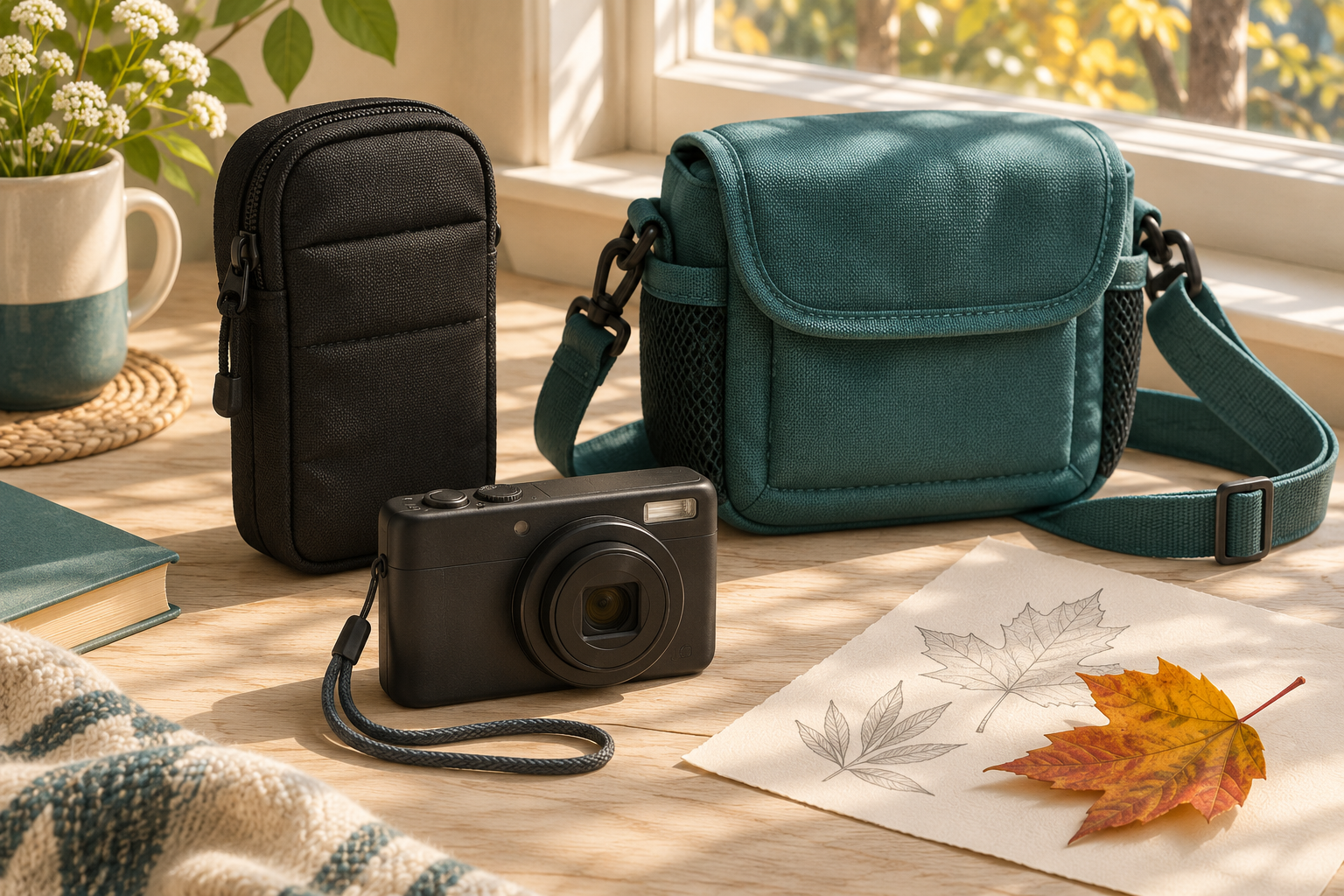
Consider this narrow pouch for an ultra-compact camera. Lowepro lists an interior of 7.8 × 3.5 × 13 cm and a weight of 58 g. Its front pocket, belt loop, and attachable shoulder strap provide several ways to organize a small kit. The shallow compartment makes measuring camera depth especially important.
View current Amazon search results for Lowepro Tahoe CS 20 Camera Case, Black (paid link) (paid link)
Lowepro Tahoe CS 80 Camera Case, Black
Consider this deeper case when a narrow pouch is unsuitable. Lowepro lists an interior of 13.5 × 8 × 13 cm, a weight of 128 g, a front accessory pocket, and a rear photo pocket. The maker describes it for Instax Mini and selected small cameras; check your exact body and attached lens before choosing it.
View current Amazon search results for Lowepro Tahoe CS 80 Camera Case, Black (paid link) (paid link)
Measure the camera in its packed condition
Switch the camera off and let any retracting lens finish moving. Measure the complete body, including a protruding grip, lens cap, and anything that will stay attached in the case. Record width, height, and depth on paper. Compare those measurements with the case’s internal dimensions, keeping the orientation consistent. External dimensions describe the bag’s footprint, not the usable camera space.
Do not choose a case whose fit depends on stretching its sides or pressing the zipper across the lens. Leave enough practical clearance to guide the camera in without force. A removable strap also needs somewhere to sit without catching in the closure. If your camera has a fixed projecting lens or a bulky protective shell, its depth may rule out the smaller pouch immediately.
Choose the CS 20 for a genuinely small kit
The CS 20 is the more focused choice when the camera itself is small and the family wants to avoid a separate bag full of accessories. A parent might place the pouch inside a daypack and bring it out at each photo stop. That routine keeps snacks, clothing, and the camera together while giving the camera its own place.
Its limitation is space. A larger camera is not a better fit just because it can be pushed through the opening. Nor should the front pocket become a place to squeeze hard objects against the camera. Choose this size only after checking the actual camera, then keep the packing plan simple enough for the child to remember.
Choose the CS 80 when extra depth matters
The CS 80 is worth considering when the camera needs a broader compartment or the outing includes a small set of photo supplies. More room can make packing easier, but it can also tempt a family to carry unnecessary items. Decide what belongs in the case before buying it. A short walk rarely needs the same equipment as a day away from home.
Check the fit of an instant camera especially carefully: “Instax Mini” names a film family, while bodies differ in shape. Our instant-camera size guide explains why body size and print format are separate decisions. A rear pocket also should not become an excuse to hurry fresh prints into storage; follow the film’s handling and development instructions.
Test the opening with the child
A case that fits on paper can still be awkward in practice. At a table, let the child open the empty case, identify where the camera belongs, and close it again. Then practice with an adult supporting the camera. Watch for a zipper pull that is difficult to grip, loose straps that fall into the compartment, or a habit of lifting the camera by its lens.
The goal is a quiet, repeatable sequence: stop walking, open the case on a stable surface or with adult help, secure the camera appropriately, and take the photograph. Reverse that sequence before moving on. If managing both camera and case overwhelms the child, let the adult carry the case while the child concentrates on taking pictures.
Plan carrying before leaving home
Do not assume an included shoulder strap adjusts to a comfortable length for every child. Check the complete carrying setup with the case loaded, and follow the supplied instructions. Keep loose straps away from playground equipment, bicycle wheels, doors, and other places where they could catch. Remove the camera kit before active play and put it with the supervising adult.
For a first outing, choose a short route with a few safe stopping places. Ask the child to photograph a color, a texture, and a leaf shape rather than carrying the camera continuously. Our fall-color photo walk gives that outing a simple purpose. The case should support the activity without becoming another task to manage.
Keep protection claims realistic
Lowepro describes padded construction and weather-resistant materials for these cases. Treat that as a reason for ordinary care, not permission to expose the kit to heavy rain, immersion, or deliberate drops. Keep the case away from puddles and wet ground. If the weather changes, put the kit somewhere dry and end the activity when necessary.
Empty the case after a sandy or muddy walk and inspect it before repacking. Separate food and drinks from camera equipment. Store spare batteries and memory cards appropriately rather than leaving them loose for young children to handle. Our parent’s camera-battery checklist helps establish who manages those small accessories.
Match the search result to the case
The buttons open Amazon searches for the named cases, not exact product listings. Compare the complete model name, color, model code, and stated internal measurements on the result you select. A photograph of a camera beside a case does not establish what the package includes. Have an adult review the selected item before ordering.
Choose the CS 20 when its narrow interior comfortably suits the camera and a minimal kit. Consider the CS 80 when extra depth solves a real packing problem. If neither matches, keep looking rather than forcing the camera into the closest option. Easy packing and a sensible carrying routine matter more than choosing the smallest-looking bag.